Character animation can feel overwhelming when you are just starting. Discover practical tips that will help you create smoother, more believable and more expressive animated characters.
Have you ever looked at your animation and felt like something’s off, even after spending hours on it? One character feels stiff, another seems to float, and a third is technically doing the right movement, but still doesn’t look right. That’s completely normal.
At the beginning, character animation is hard because it asks you to juggle a lot at once, movement, timing, balance, emotion. Most beginners run into the same issues, though. And once you know what to look for, it gets much easier to fix them.
In this article, we’ll walk through seven practical tips that actually make a difference. No heavy theory. No pressure to animate like a studio. Just things you can start applying right away to make your characters feel more believable.
Why character animation feels hard at the beginning
Character animation can be frustrating at first. You look at your work and know something isn’t right, but it’s hard to point to a specific problem. The movement feels stiff, unnatural, or just… off.
A lot of people start thinking they lack talent at this stage. Or that the issue is the software. It’s not. The real reason it feels difficult is that you’re trying to manage several things at once. You need to observe movement, understand weight, control timing, and think about what the character is feeling all at the same time.
In real life, movement happens instantly. Someone walks, sits down, or turns their head, and your brain processes it without effort. As an animator, you have to slow that down and break it into small, clear steps. That’s why it often feels like you know how something should look, but can’t recreate it yet. You see someone running, but once you try to animate it, you start noticing all the small details: a slight lean forward, a delay in the arms, a brief pause before changing direction.
The best way to approach learning is to simplify things
Don’t try to animate a full scene with dialogue, hair, clothes, and facial expressions right away. You’ll improve much faster if you focus on one thing at a time, first weight, then timing, then expression.
If you feel like you’re trying to control too many things at once, it often helps to step back and think about the idea behind the movement. We covered this in more detail here: How to write a script for an animation? 16 practical tips
7 practical animation tips you can start using right away
You don’t need more theory at this stage. You need a few clear rules you can actually apply while animating. These seven tips will help you spot problems faster and make better decisions as you work.
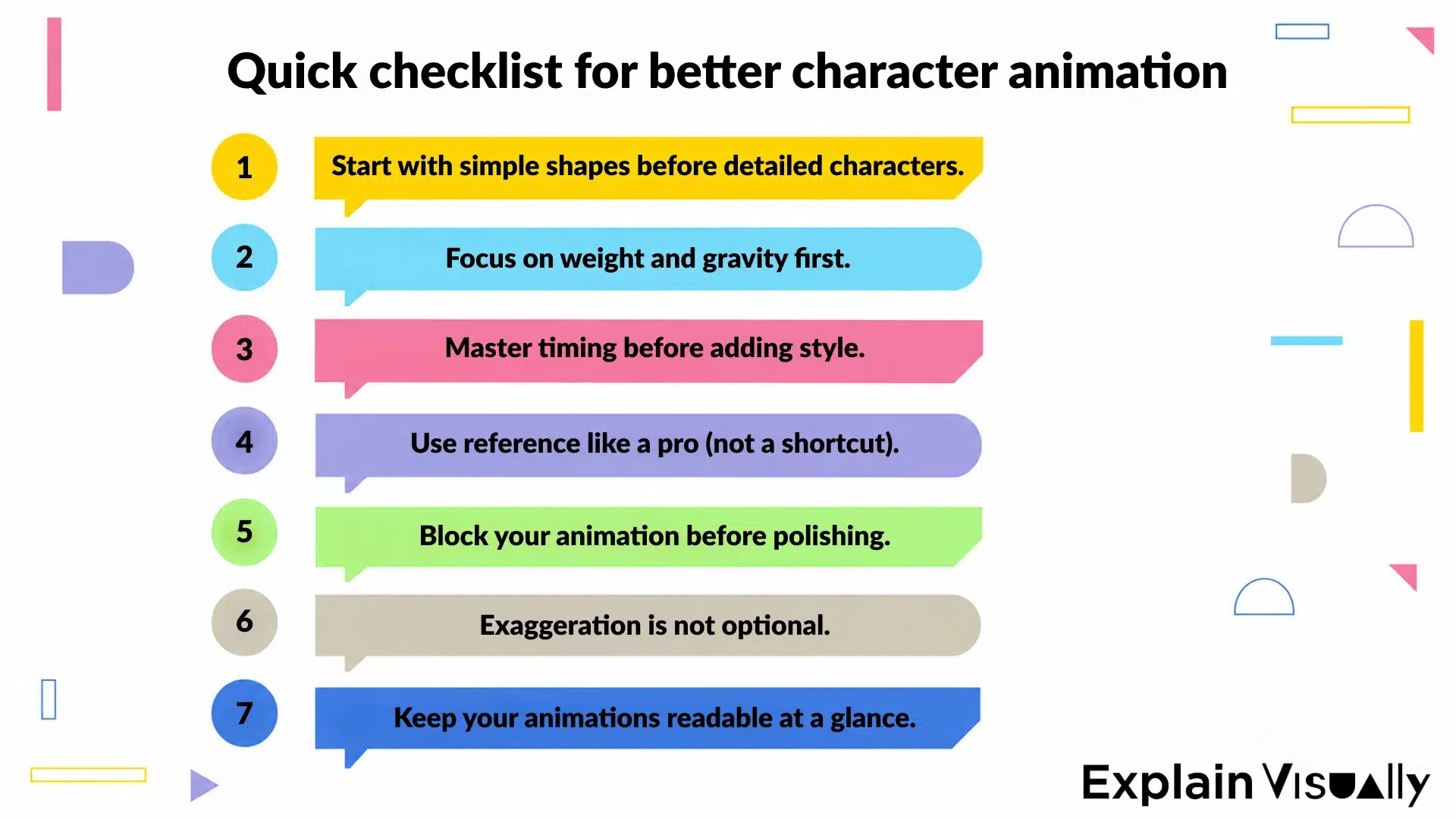
1. Start with simple shapes before detailed characters
Most animation problems are easier to fix when the character is still simple. If you jump straight into a fully designed character, it becomes harder to see what’s actually going wrong. The movement might feel off, but it’s not obvious whether the issue is balance, timing, or pose.
Working with simple shapes makes things clearer. A circle for the head, a box for the torso, lines for the limbs. With less detail, you can focus on structure, where the weight sits, how the body shifts, and whether the pose feels stable.
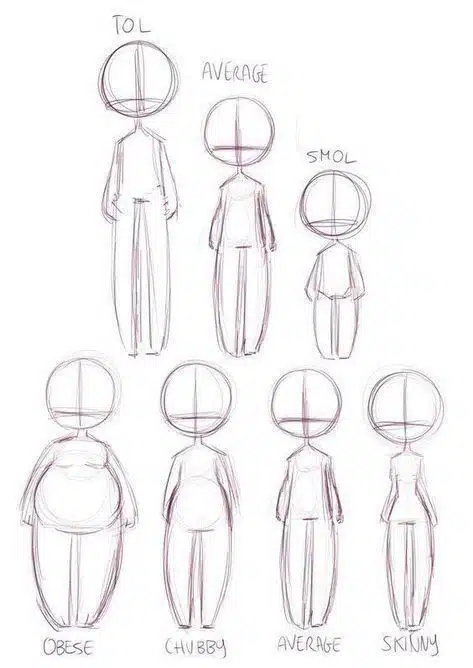
Try this as a quick exercise. Build your character using only basic shapes, then animate a small action, a head turn, a step, or a simple reach. You’ll notice how much easier it is to control balance and proportions.
If the movement works at this stage, it will almost always hold up once you add the final design.
2. Focus on weight and gravity first
What makes a character feel real is not the pose, it’s how the body reacts to movement. When weight is missing, everything feels disconnected. The character moves, but nothing follows through. A hand stops too cleanly, the body doesn’t absorb impact, jumps look the same on takeoff and landing.
In real movement, nothing starts or stops instantly. There’s always a build-up and a release. Before lifting something heavy, the body prepares. When stopping suddenly, parts of the body keep moving for a moment before catching up.
That’s where squash and stretch comes in. On impact, the body compresses slightly. When pushing off, it extends. Even a subtle change like this makes a simple motion feel grounded.
This short demo shows how squash and stretch works in animation.
A good way to see this is with a bouncing ball. A ping pong ball barely deforms and moves quickly. A basketball hits harder, slows down, and visibly reacts to impact. Same action, completely different feel. Apply the same thinking to characters. A tired person, a child, and a strong, heavy character will all move differently, even if they’re doing the same thing.
Start paying attention to how weight shifts and how the body absorbs movement. That’s usually the moment when animation stops feeling flat.
3. Master timing before adding style
The same action can feel slow, confident, tense, or energetic depending on how long it takes and where the speed changes happen. Often, the difference isn’t in the pose, but in how long the character holds it and when the motion accelerates.
A common issue is even timing. Everything moves at the same pace, a hand raise, a head turn, a step. When that happens, the animation feels flat and predictable. Real movement doesn’t work like that, because there are pauses, shifts, and changes in speed. A character might hesitate before moving, then act quickly, then settle into stillness again. Those changes are what give the motion intention.
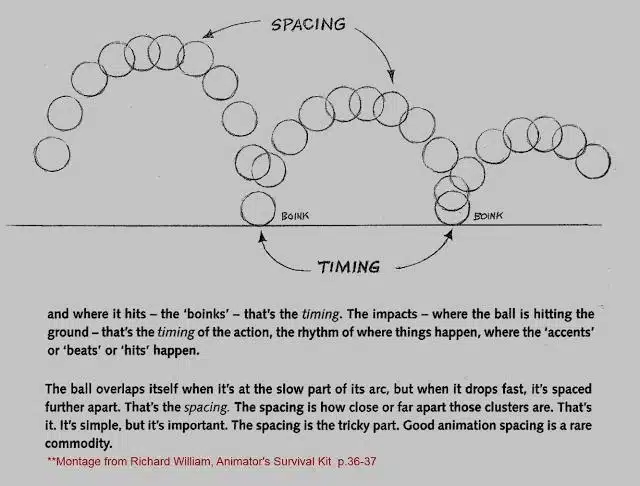
Example of timing and spacing (based on Richard Williams, The Animator’s Survival Kit, s. 36–37)
Pauses matter more than people expect. A short hold can define how a character feels in a moment. A hesitation before opening a door reads very differently than a fast, uninterrupted motion.
As a starting point, slow things down. Make sure the movement is clear and readable before adding speed or style. Once the timing works, everything else becomes easier to control.
4. Use reference like a pro
Reference helps the most when you stop trying to copy it exactly. A common mistake is watching a clip a few times and then recreating the movement as closely as possible. It might look similar on the surface, but it often misses what actually makes the motion work.
A better approach is to slow things down and analyze what’s happening. Go through the footage frame by frame and look for patterns. When does the movement really start? Which part of the body leads, and which parts follow? Does the motion travel in a straight line, or along an arc?
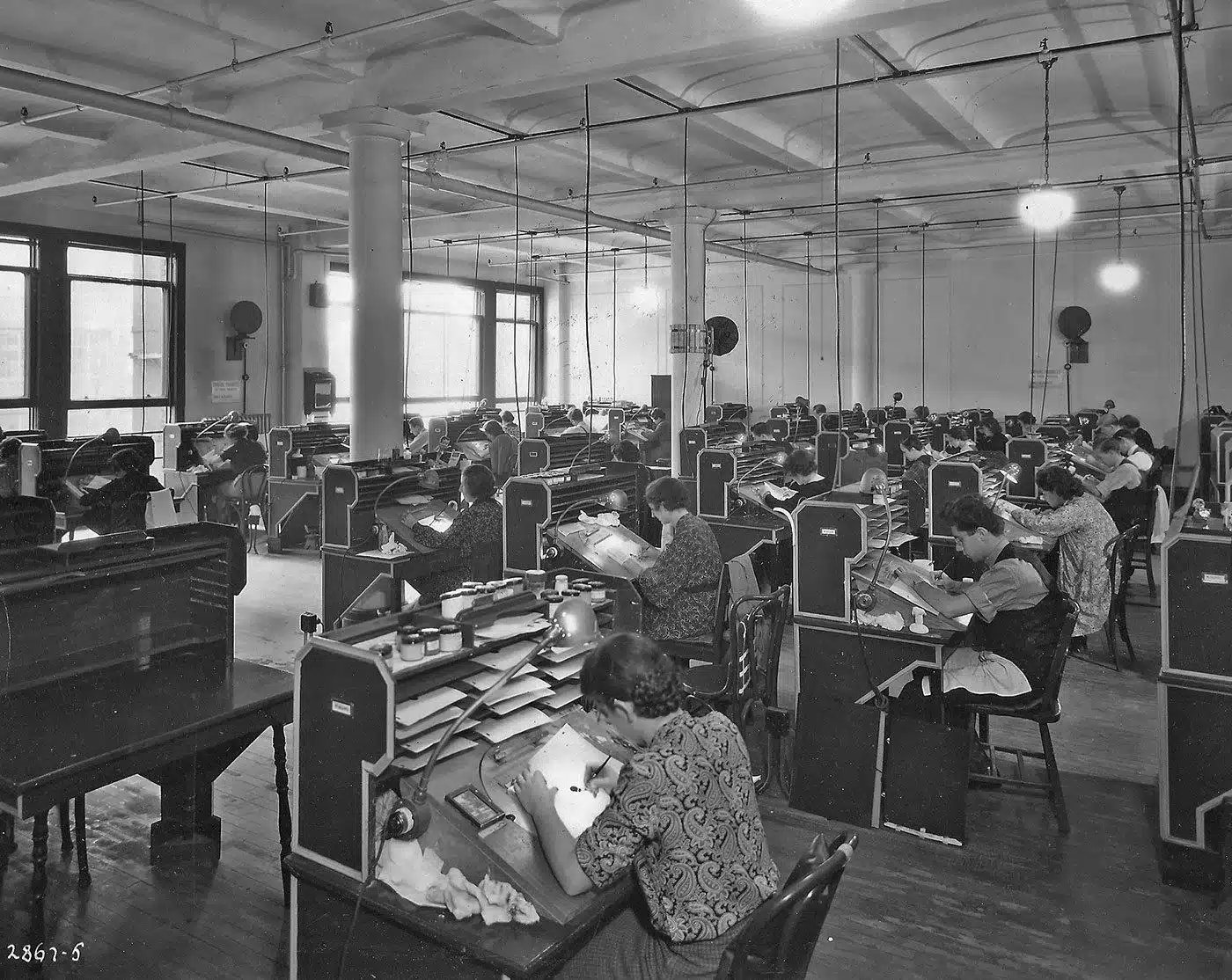
Animators have always learned this way, by observing real movement and breaking it down into simple parts. The tools have changed, but the process is still the same.
Small details start to stand out very quickly. A head might stop slightly later than the body. A hand rarely moves in a straight line. Before sitting down, the weight often shifts back before the body lowers. These are the kinds of things that are easy to miss at full speed.
Instead of copying what you see, try to rebuild it. Pick a few key moments, simplify them, and then animate your own version based on that observation. That way, the reference becomes a tool, not something you’re trying to trace.
5. Block your animation before polishing
It’s tempting to jump straight into details, refining hands, adding facial expressions, smoothing the motion. The problem is simple: If the core poses don’t work, no amount of polish will fix it.
Start with blocking. Focus on a few key poses that define the action instead of animating everything at once. Beginning, middle, and end are usually enough to check if the movement holds together.
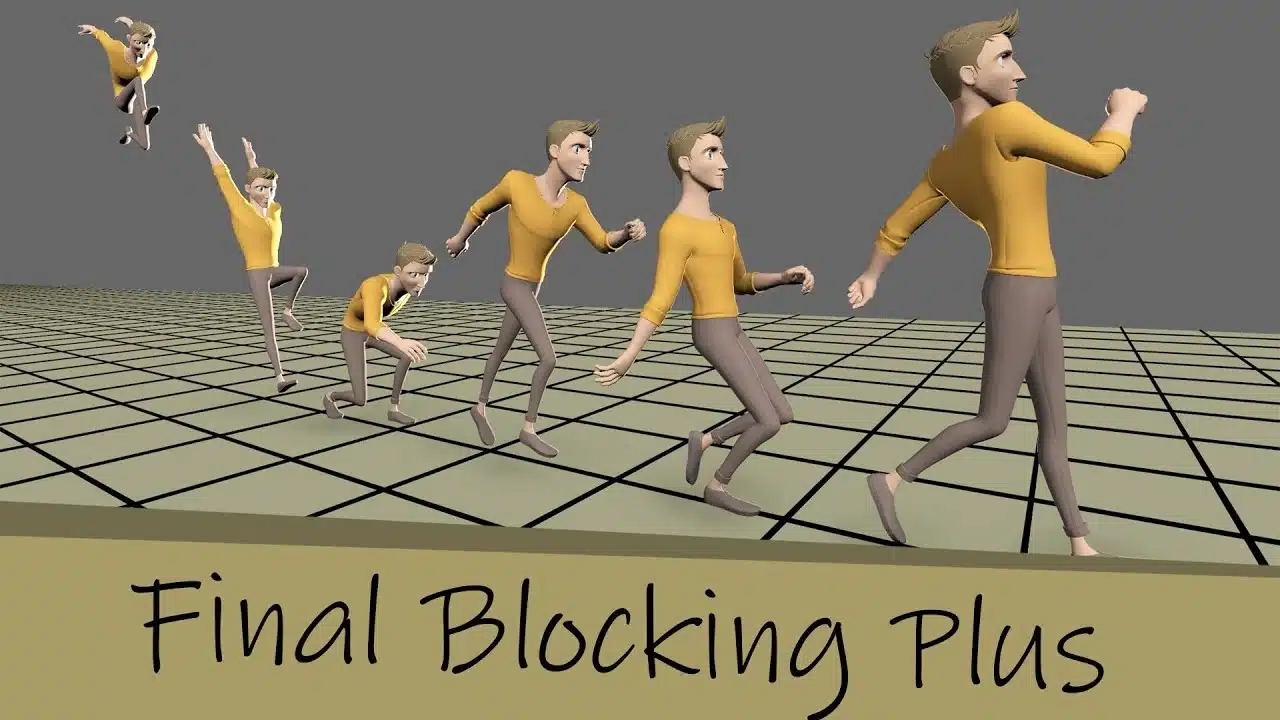
This sequence shows how a full action is built from a few key poses before any detailed animation is added. Example based on a blocking workflow shown in a YouTube tutorial @acamporota (“Key Frame Animation Tutorial Part 5: Blocking Plus 2”).
Take a simple example, a character sitting down. First, standing. Then a shift of weight and a bend in the legs. Finally, the seated position. Even without in-between frames, these poses should already tell a clear story. Blocking also makes it easier to spot issues early. A character might feel off balance, a pose might be unclear, or a gesture might not read well. Fixing that at this stage is quick. Fixing it after dozens of frames is not.
A useful exercise is to stop after setting four or five key poses and review them as still images. If the action is clear without motion, you’re ready to move on. If not, adjust the poses before adding anything else.
6. Exaggeration is not optional
What you see in real life is often too subtle to work on screen. Small changes in posture, slight shifts in weight or expression, all of that reads clearly when you’re watching someone in front of you. In animation, a lot of it gets lost unless you push it further. A small eyebrow raise might not register at all. A slight lean forward won’t carry much energy. The movement is technically correct, but it feels weak because nothing stands out.
Work directly on the poses:
– lower the shoulders more when the character is tired,
– hold the pause longer before a reaction,
– push the body further back or forward so the direction is obvious.
Small adjustments rarely make a difference, stronger choices usually do. The first version feels safe, but also flat. When you push the pose a bit further, the action becomes easier to read and more engaging.
A simple way to test this is to make two versions of the same shot – one close to reference, the other slightly pushed. Compare them side by side. The stronger version will usually communicate faster.
7. Keep your animations readable at a glance
Even a well-animated scene won’t work if the viewer can’t immediately understand what the character is doing, that’s why silhouette matters so much.
Experienced animators often check their work by looking at it as a simple black shape, no color, no face, no details. If you can still tell whether the character is running, pointing, reacting, or celebrating, the pose is doing its job. If not, if the arms blend into the body or the legs overlap too much, the whole movement becomes harder to read.
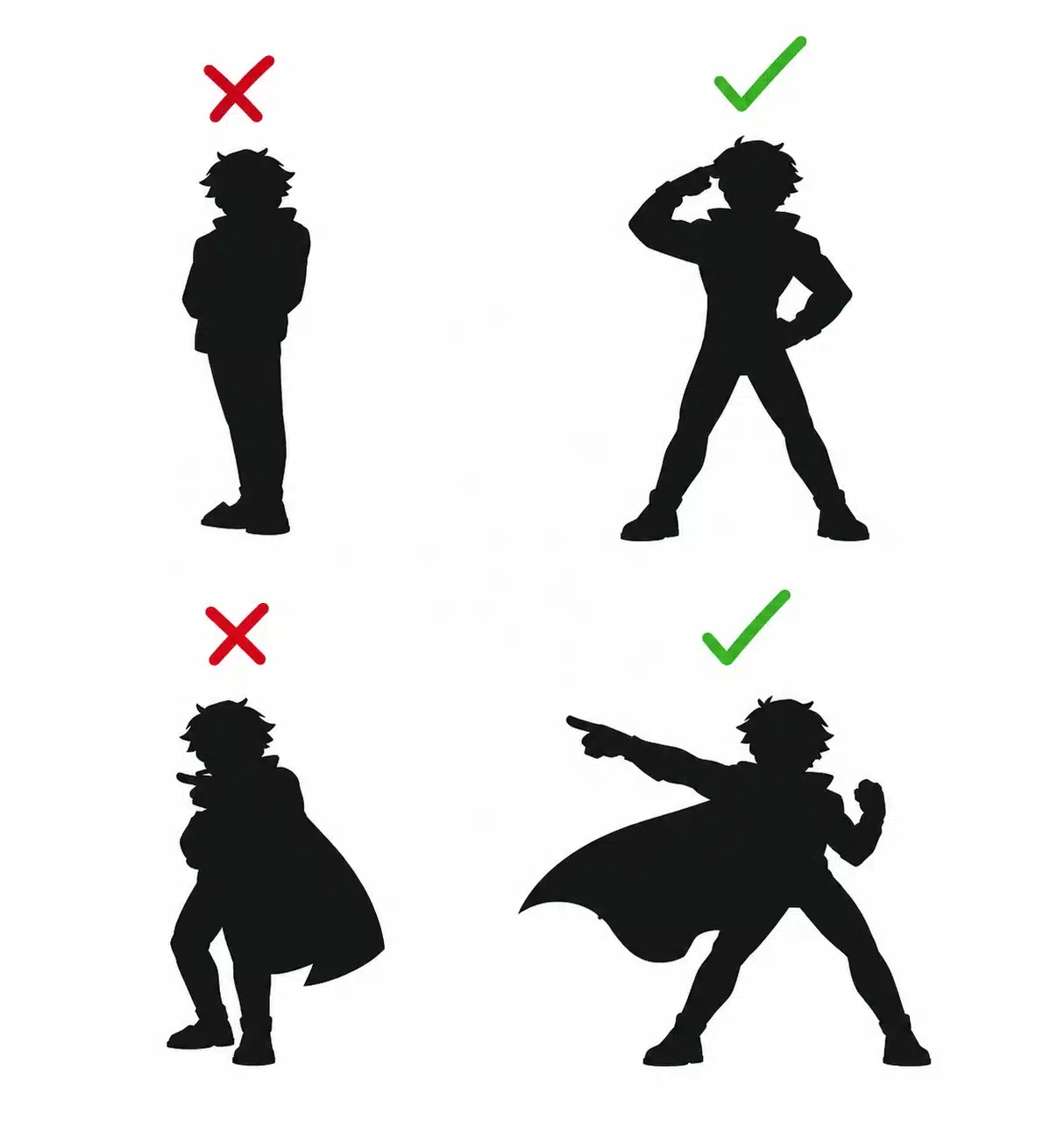
Take a simple example, a character pointing at something. If the arm stays too close to the body, the gesture almost disappears. Move it slightly away, and the intention becomes clear right away. This is especially important in short animations, social media, or ads. The viewer only sees the scene for a moment. There’s no time to analyze details, the action needs to read instantly.
The most important fundamental? Go back to basics
At some point, most animators start looking for more advanced techniques, better tools, or more complex setups. But the biggest improvements rarely come from adding something new. They come from simplifying what’s already there and focusing on the fundamentals.
Clear poses, solid timing, a sense of weight, these are the things that make animation work. You can spend hours polishing details, but if the base isn’t strong, the result will still feel off. Going back to basics isn’t a step backwards. It’s often the fastest way to move forward.
When to bring your animation idea to life with a team
There comes a point where the idea itself is clear, but turning it into a strong, finished animation becomes much harder. This is especially true when the project is meant for clients, social media, a website, or a campaign. At that stage, it’s not just about movement anymore. Structure, pacing, clarity, and style all start to matter just as much.
At Explain Visually, we often work with people who already have a character, a rough scene, or even a full concept, but need help shaping it into something that really works. Sometimes it’s about refining a few key poses, adjusting timing, or simplifying the action. Other times, it means building the whole piece from the ground up.
What matters most is where everything starts. Strong animation doesn’t begin with effects or detail. It begins with movement that feels clear from the first second and makes the character feel alive.
𝐄𝐱𝐩𝐥𝐚𝐢𝐧 𝐕𝐢𝐬𝐮𝐚𝐥𝐥𝐲 – 𝐁𝟐𝐁 𝐚𝐧𝐢𝐦𝐚𝐭𝐢𝐨𝐧 𝐬𝐭𝐮𝐝𝐢𝐨:
• We create whiteboard animations for businesses
• We create corporate explainer videos
• We create visual storytelling for companies
Frequently asked questions
What software is best for beginners in character animation?
At the beginning, the tool matters less than the way you use it. You can learn solid animation skills in almost any software, as long as it lets you control keyframes, timing, and basic movement. For 2D, tools like Adobe Animate or Toon Boom are common. For 3D, Blender is a strong starting point and widely used in the animation industry.
What actually helps is keeping things simple. Focus on small exercises, a bouncing ball, a basic walk, a short scene with one clear action. The goal is to understand motion, not master every feature. Once that clicks, switching tools is easy.
Do I need to know drawing to become a character animator?
No, but it helps. Drawing gives you a better understanding of body language, pose, and how to simplify a character into something readable. That becomes especially useful when working on facial expressions or conveying emotions clearly.
That said, a lot of animators build their animation journey without strong drawing skills, especially in 3D. What matters more is how you think about movement, timing, and structure. If you can break down an action, rebuild it, and keep the main idea clear, you’re already on the right track. Drawing is a tool, not a requirement.
How long does it take to learn character animation basics?
For most people, a few months of regular practice is enough to feel comfortable with the basics. Short, focused exercises make the biggest difference, things like a bouncing ball, a simple reaction, or a short action with one clear goal. What matters is repetition and attention to detail. You start noticing how timing affects movement, how small changes in a pose shift the whole scene, how the body carries weight. That understanding builds gradually with each exercise and each finished shot.
Should I learn 2D or 3D character animation first?
Both paths teach the same core principles. Timing, spacing, rhythm, and how to guide the audience’s attention are the same whether you animate in 2D or 3D.
If you enjoy drawing and want more control over style, 2D might feel more natural. If you prefer working with rigs, cameras, and a more technical setup, 3D can be easier to start with. The important thing is to pick one and stay consistent for a while instead of switching too often.
What are the most important animation principles to learn early?
Start with the ones that affect how motion reads: timing, spacing, weight, and clear posing. These are the foundations of natural motion and they show up in every project, no matter the style.
Concepts like squash and stretch, overlapping action, and pose to pose become much easier once those basics are in place. You don’t need to learn everything at once. Focus on what makes the action clear and understandable.
How can I improve my animation without formal training?
Work on short, focused tasks. A bouncing ball, a simple character reacting, a small interaction between two objects. These kinds of exercises build real control much faster than long, unfinished projects.
Record reference, study it frame by frame, and try to rebuild the action. Share your work and seek feedback. Even one useful comment can change how you approach the next scene. Over time, that feedback loop becomes more valuable than any single tutorial.
What are the most common mistakes in character animation?
A few things come up again and again:
-
Starting with details instead of the main action.
-
Keeping everything at the same speed.
-
Ignoring weight and follow-through.
-
Copying reference instead of understanding it.
-
Unclear poses, shapes blending together.
-
Taking on scenes that are too complex too early.
Most of these come down to one thing, doing too much at once instead of focusing on the basics.
How do professional animators practice regularly?
They keep going back to basics. Even experienced animators still use simple exercises to refine their understanding of motion, timing, and control. They also experiment a lot. Different versions of the same scene, small changes in rhythm, pushing poses further than feels comfortable. And they stay open to constructive criticism, because that’s often where the biggest improvements come from.