The rule itself is simple, although many people still forget about it: an animation does not have to scream for attention to work well. Sometimes a tiny movement or well-designed feedback is more than enough. Let’s take a closer look at how micro animations improve social media content and digital interfaces.
A subtle hover, a small click reaction, an icon slightly shifting position after an action is completed. Tiny details, yet they completely change how users experience an interface. Suddenly the page feels responsive, interactions feel more natural, and the entire product starts looking more polished. This is exactly where the real strength of micro animations begins.
Motion helps guide attention, organize interactions, and make products feel far more intuitive to use, especially now, when social media platforms and digital interfaces move faster than ever, and users make decisions within seconds.
So let’s talk for a moment about why small animations work so well today and how you can use them to improve user experience instead of simply adding another visual effect.
Why do micro animations work faster than another line of text?
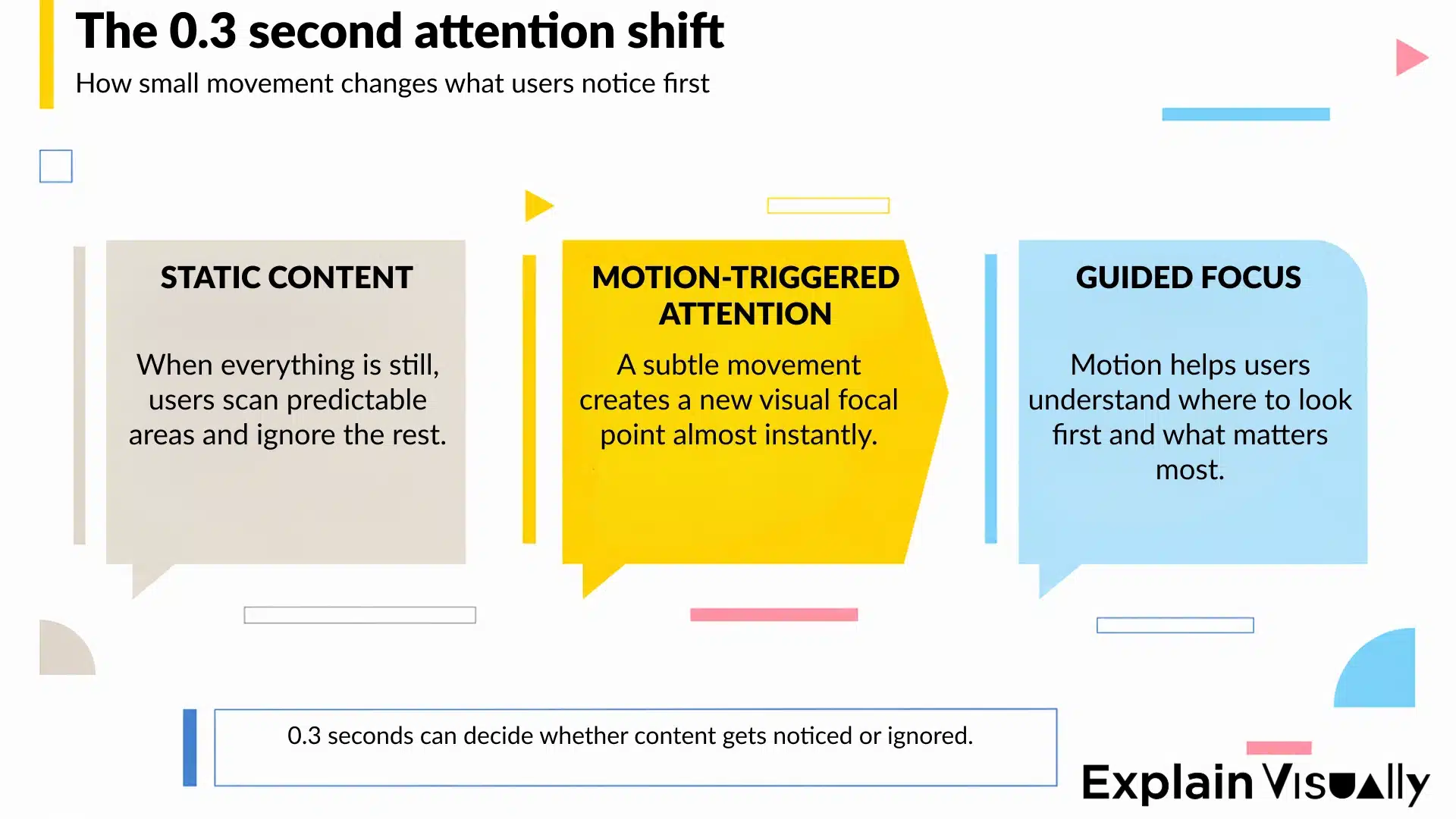
People react to movement much faster than to text, and this has nothing to do with trends or social media. It is simply how the brain works. A fraction of a second is enough for the eye to shift toward an element that moves, pulses, or subtly changes position.
Before users read the message, their attention has already made a decision. This short video perfectly shows how quickly the brain reacts to movement, contrast, and visual micro-signals, long before we consciously process the content itself.
It is no surprise that micro animations work so well in interfaces, apps, and social media content. Users notice change before they read information, even when the movement itself is very subtle. A small animation communicates “click here”, “something changed”, or “your action was completed” much faster than another line of text on the screen.
This becomes especially visible in interfaces filled with information. When everything stays static, the screen quickly starts feeling cluttered and overwhelming. Motion helps organize priorities and naturally guides the user’s focus toward the elements that matter most, while secondary content stays in the background. Small details like these make the entire interface feel smoother and easier to navigate.
We explored the topic of attention spans and conversion-focused animation design in more detail in our article: Animated Facebook Ads – the 3-second battle that decides your conversions.
Animated Facebook Ads – the 3-second battle that decides your conversions
Users experience the interface before they consciously read it
Some websites are difficult to describe in a single sentence, yet after a few seconds you immediately feel that using them simply makes sense. Everything feels smooth, logical, and predictable. Clicks have rhythm, elements react at the right moment, and nothing behaves too aggressively. This is usually one of the clearest signs of well-designed micro animations.
What users notice almost instantly, however, is the lack of response from the interface. If nothing happens for a moment after clicking a button, uncertainty appears immediately. Did the system react? Did the page freeze? Should the user click again?
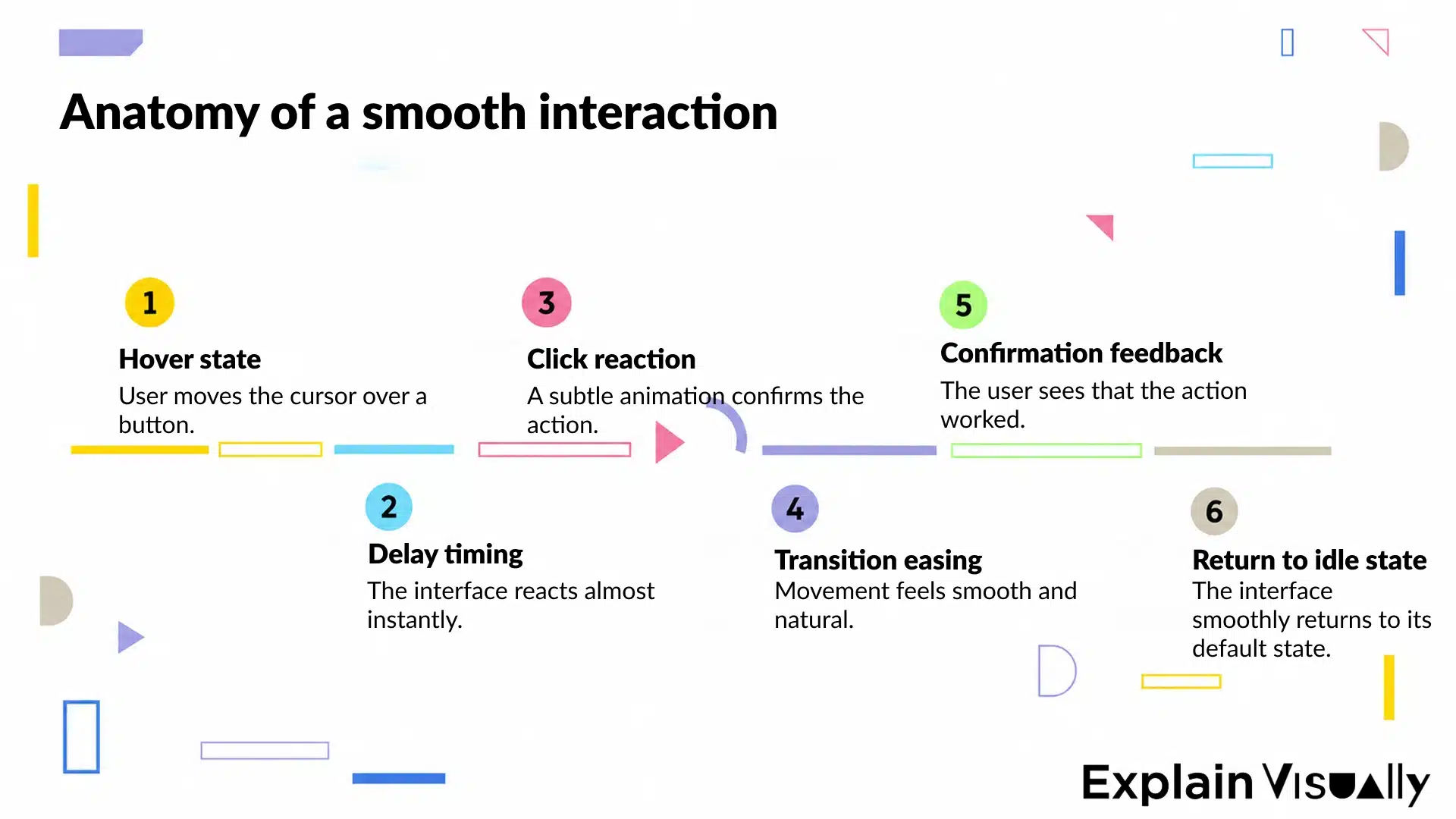
This is where visual feedback becomes extremely important. A slight color change, a micro interaction after clicking, a subtle hover effect, or a smooth loading indicator helps users understand that the interaction worked correctly and the system is responding as expected.
Small movement, big difference, where do micro animations work best?
Not every interface element needs motion, and honestly, that is a good thing. Once everything starts moving at the same time, users feel overwhelmed much faster than engaged. Micro animations work best in places where users make decisions or perform specific actions.
CTA buttons
Even a subtle hover reaction can make a button feel more clickable. Forms work in a very similar way. A soft color change, a checkmark appearing after completion, or a smooth transition between states gives users a stronger sense of control over the interaction.
Onboarding animations
Micro animations are especially useful in SaaS products and digital platforms that require users to complete several steps at the beginning. Small movements naturally guide people through the interface without overwhelming them with additional instructions.
Social media content
In social media, micro animations often serve one more important purpose, they help stop the scroll. A lightly animated foreground element or a well-timed transition between scenes is often enough to make content feel more dynamic than another static post disappearing in half a second.
When does animation help, and when does it start getting in the way?
It is surprisingly easy to overdo motion, especially now, when almost every platform fights for user attention with another transition, animated effect, or dynamic interface. After a few seconds, this kind of experience often becomes more exhausting than helpful, and you have probably felt that yourself more than once.
The problem usually starts when users begin paying attention to the animation instead of the interaction itself. At every moment, they should instantly understand:
-
where to click,
-
what just happened,
-
and what they can do next.
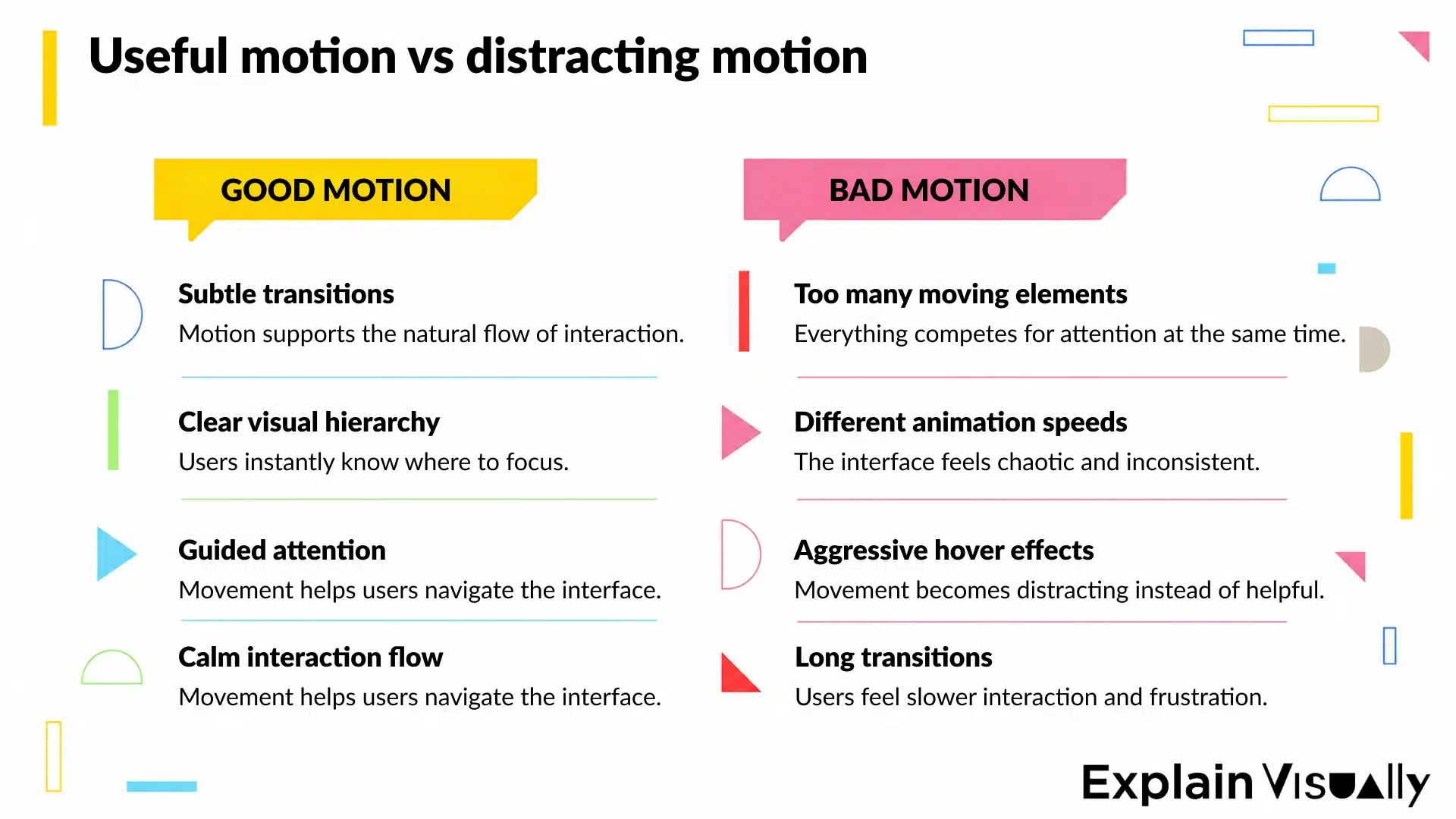
Once too many elements move at the same time, focus starts jumping around the screen. One card slides in from the side, a button keeps pulsing somewhere else, while hover effects compete for attention in the background. Instead of a smooth experience, the interface starts feeling chaotic and unnecessarily busy.
From our experience, the biggest problems usually come from overly long transitions, animations added purely for a “wow effect”, aggressive hover effects, and multiple movement speeds used within the same view. After a minute or two, the entire interface simply becomes tiring to use.
Well-designed micro animations help organize interaction. They make state changes easier to notice, guide the user’s focus toward the right elements, and improve the overall readability of the interface. Motion should support navigation and help users move through the product more naturally.
It is also worth looking at motion in context, because not every platform needs the same level of intensity. Dynamic social media content follows completely different rules than a SaaS dashboard used daily by analysts, sales teams, or HR departments. In one case, motion is meant to stop the scroll. In the other, it helps structure workflows and reduce interface fatigue.
Hover, scroll, swipe, the moments users barely notice
Hover effects quickly show whether an interface feels predictable. Users have not clicked yet, but they already receive a signal that the element is interactive, something will happen here, and they can move forward. The best hover effects do not try to dominate the entire screen. A slight color shift, subtle movement, or a soft contrast change is usually more than enough.
Scroll works a little differently because it helps maintain the rhythm of browsing content. Well-designed motion during scrolling naturally guides the eye between sections, making even longer content feel lighter and easier to process. Problems start when scroll animations fight harder for attention than the content itself. Overly aggressive effects quickly become tiring and slow down the way users absorb information.
Swipe motion has the biggest impact on mobile applications. Users instantly notice whether an interface feels smooth and responsive. Even small delays or overly aggressive transitions can make an app feel less polished and less intuitive to use.
Motion that lasts one second too long
Timing plays a huge role in micro animations. Animations that move too quickly feel nervous, while slower ones create the impression of lag, even inside a well-designed interface.
The best projects use movement very precisely. Animations last exactly long enough for users to notice a change of state, but not so long that they feel forced to wait for the interface to react.
This becomes especially important in:
-
dropdown menus,
-
navigation,
-
loading states,
-
screen transitions,
-
and micro interactions repeated dozens of times during a single session.
A few extra milliseconds rarely make a technical difference, but they strongly influence how users experience the entire product. The best micro animations usually remain almost invisible. They simply make everything feel faster, smoother, and more intuitive.
Motion has become the natural language of social media
Not that long ago, a strong visual and a good headline were enough. Today, feeds work completely differently. Users scroll so fast that static content often disappears before they even consciously process it. And honestly, this is not only about shorter attention spans, but about getting used to constant movement.
TikTok, Reels, Shorts, dynamic app interfaces, autoplay videos, animated overlays, over the last few years, platforms have trained users to consume content in motion rather than in still frames. Even very subtle motion can make content feel more current, more natural, and simply better aligned with the pace of the platform itself.
That is exactly why micro animations work so well in social media. They do not completely take over the viewer’s attention, but they help maintain the energy and rhythm of the content. At the same time, users instantly notice when motion becomes excessive. Content overloaded with effects quickly starts feeling like an ad desperately trying to stop the scroll, and that usually creates the opposite reaction.
Micro animations look simple. Right until they need to be designed properly
By now, you already know that the best micro animations should never draw too much attention to themselves, and that is exactly why they are so easy to get wrong. A few extra milliseconds, an overly aggressive hover effect, or poorly timed motion can completely change how an interface feels. Even if users cannot immediately explain what is wrong, they quickly sense that something feels off, too heavy, or simply tiring to use.
At Explain Visually, we work with motion every day, from social media animations and explainer videos to digital product interfaces and visual communication for brands and apps. Well-designed motion helps users notice important elements faster, understand interface reactions more naturally, and move through products with less friction. Small details make a huge difference here:
-
reaction timing,
-
animation pacing,
-
movement intensity,
-
and the exact moments where users need clearer feedback.
Not everyone needs to understand motion design principles, animation timing, or UX psychology. That is exactly why specialists exist. And honestly, well-planned micro animations usually make a much bigger difference than most companies expect 🙂.
𝐄𝐱𝐩𝐥𝐚𝐢𝐧 𝐕𝐢𝐬𝐮𝐚𝐥𝐥𝐲 – 𝐁𝟐𝐁 𝐚𝐧𝐢𝐦𝐚𝐭𝐢𝐨𝐧 𝐬𝐭𝐮𝐝𝐢𝐨:
• We create whiteboard animations for businesses
• We create corporate explainer videos
• We create visual storytelling for companies
Frequently asked questions
What are micro animations for social media?
Micro animations for social media are small motion elements used to make content feel more dynamic and interactive. They can include hover effects, animated icons, transitions, loading indicators, or subtle movement between background and foreground elements.
Even very simple animations help draw attention faster than static images. In fast-moving social media feeds, those tiny motion details often decide whether users keep scrolling or stop for a few extra seconds.
Why do micro animations matter in modern web design?
Micro animations matter because users react to movement almost instantly. A subtle ui animation can guide users through an interface much faster than additional text or instructions.
Well-designed motion improves usability, supports visual hierarchy, and helps websites feel more responsive. Small details such as hover reactions, transitions, or visual feedback also reduce cognitive load and make digital experiences easier to navigate.
How does visual feedback improve user interaction?
Visual feedback users receive after a user’s action helps remove uncertainty from the interface. When a button reacts, an icon changes state, or loading indicators appear immediately, the user understands that the system responded correctly.
Without feedback, even well-designed websites can feel slow or confusing.
Can micro animations increase conversion rates in e-commerce?
Yes, especially when they help users focus on important elements during navigation or checkout.
In e-commerce, micro interactions are often used to:
- highlight CTA buttons,
- animate product cards,
- support checkout transitions,
- improve navigation,
- and keep users engaged during longer interactions.
Good motion design can also reduce bounce rates because the interface feels smoother, faster, and more intuitive.
Are micro animations only useful for social media?
Not at all. Micro animations are now used across websites, SaaS products, mobile apps, dashboards, onboarding flows, and digital services.
The role of motion changes depending on the product. In social media, animations help capture user’s attention. In SaaS platforms, they usually support usability and help users understand interactions more naturally.
What makes a good UI animation feel natural?
Timing plays a huge role here. Animations that move at different speeds or last too long quickly start feeling distracting.
Good UI animation feels smooth, responsive, and predictable. The user should instantly understand what changed on the screen without consciously thinking about the animation itself.
Which elements are most commonly animated in interfaces?
The most common animated elements include:
-
buttons,
-
hover states,
-
menus,
-
loading indicators,
-
animated icons,
-
notifications,
-
cards,
-
transitions between screens,
-
and navigation components.
Many designers also animate background and foreground elements to create a more dynamic interactive experience without overwhelming the page.
Which tools are used to create micro animations?
Designers use different prototyping tools and animation tool solutions depending on the project and platform.
Popular options include:
-
Figma,
-
After Effects,
-
Principle,
-
Framer,
-
JavaScript motion libraries,
-
and CSS-based animation systems.
These tools help create responsive interactions, test motion behavior, animate interface elements, and improve overall performance across websites and apps.