Got a video idea but not sure how to make it work? That’s where most projects fall apart. The idea is there, but the format decides whether it makes sense to the viewer or not.
Animation can break down complex topics, show how things work, or simply catch attention. The problem starts when the format is chosen for the wrong reason. What matters is how well it supports the message. In this article, you’ll find a selection of top 10 animation video ideas, along with examples and when to use each one. Clear, practical options you can apply right away.
What to avoid before you pick a format
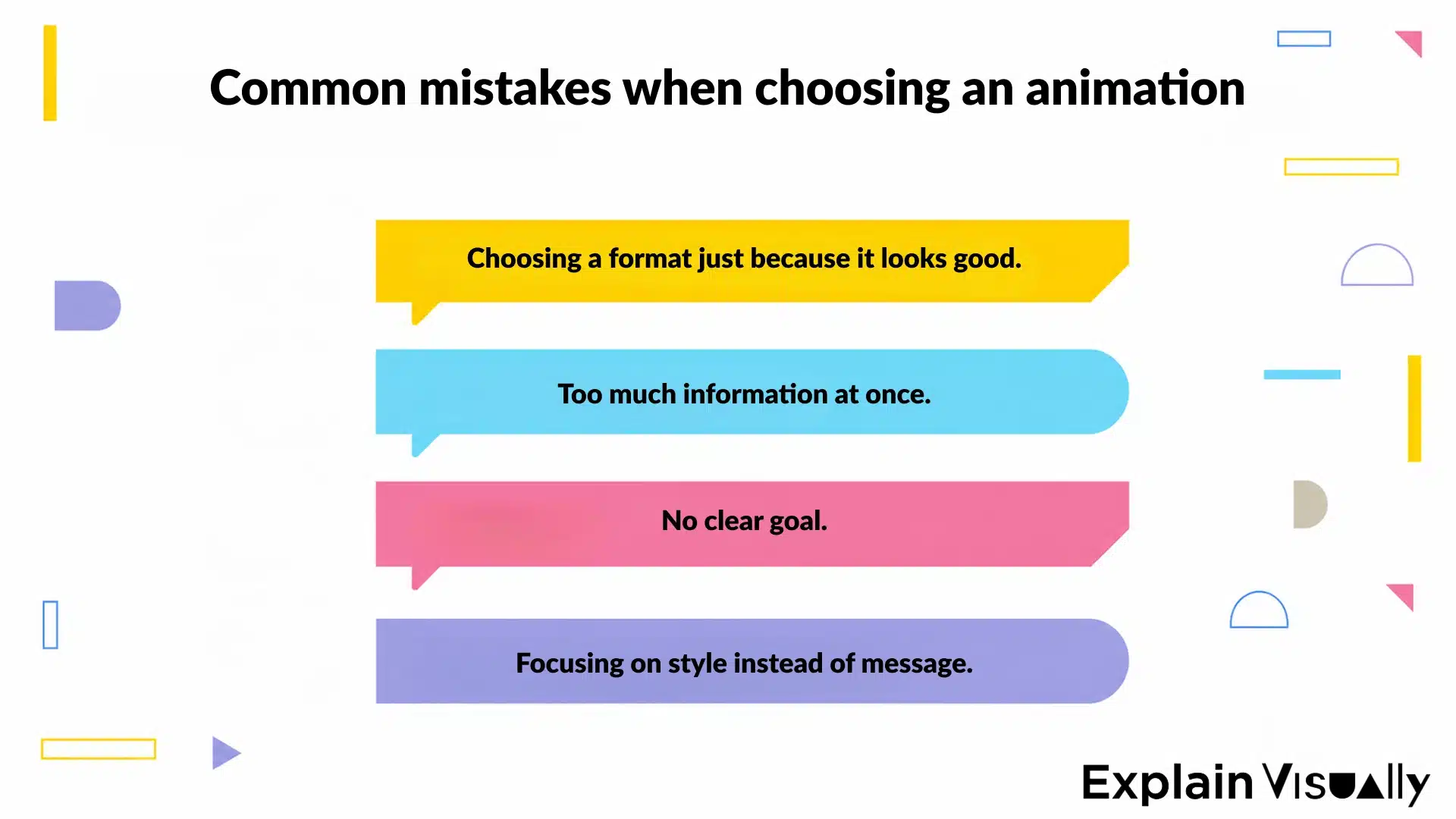
Choosing an animation style based on what looks good or what’s trending is an easy trap. In most cases, it has very little to do with what you actually need to communicate. The result might look polished, but still miss the point.
Trying to fit too much into one video causes a similar problem. Too many ideas, too many elements, no clear direction. Instead of helping, the animation starts to overwhelm the viewer. Keeping it simple usually works better, one idea, one goal, one clear message.
10 animation video ideas you can actually use
The format you pick has a bigger impact than the visuals themselves. The same idea can work well in one format and fall flat in another. Knowing which type of animation fits your goal helps you avoid that. Each format solves a different problem, and that’s what really matters.
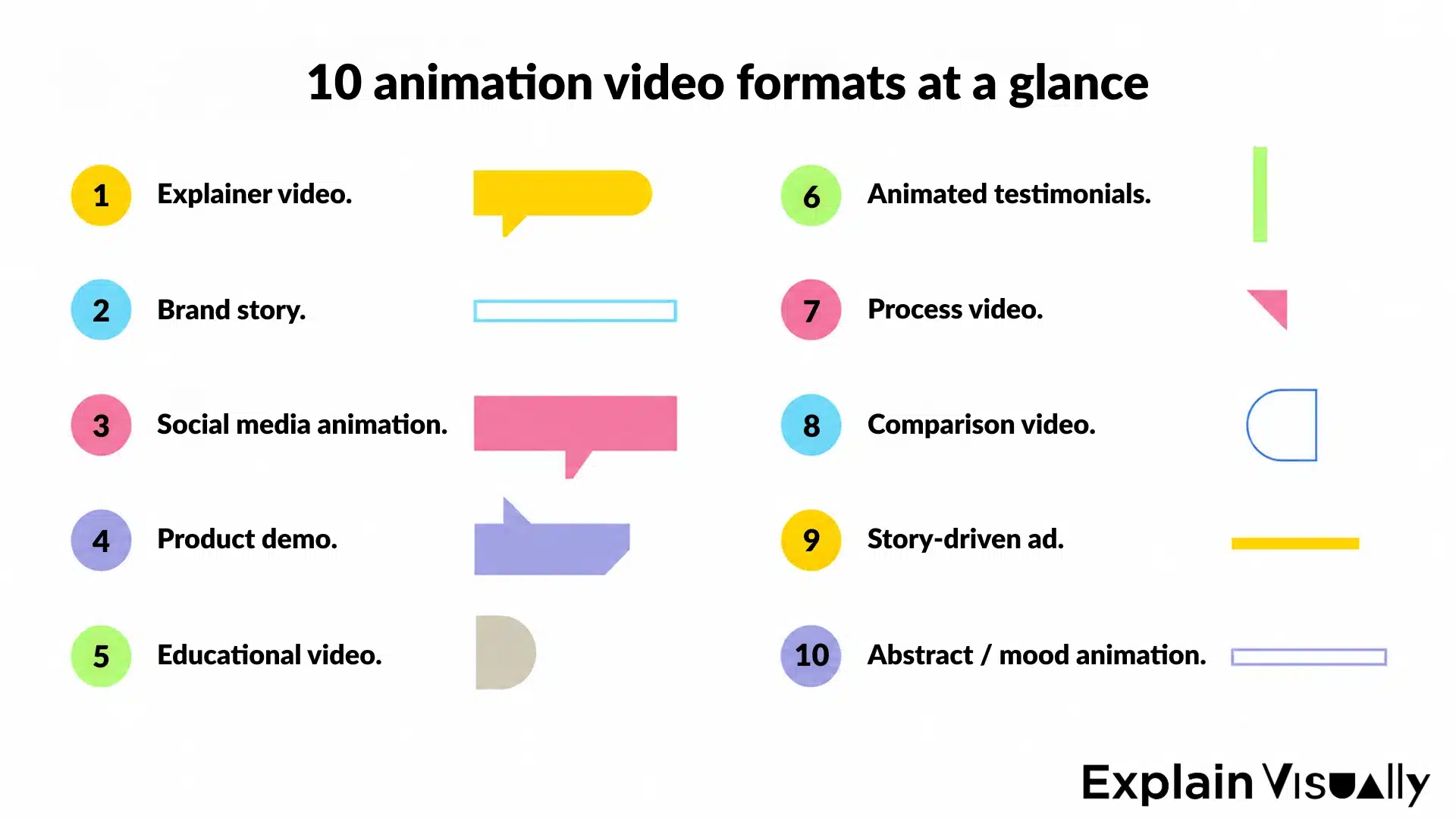
1. Explainer video
Explainer videos work well when something needs context. Digital products, services, or anything that isn’t obvious at first glance. The idea is simple: show the problem, introduce the solution, and walk through what changes. A clear flow makes it easier to follow and keeps the focus where it should be.
Example of an explainer video created by Explain Visually for Suntech, breaking down complex OSS and BSS concepts into a clear, structured format.
This format is common on websites, landing pages, and product launches, where people need to understand quickly what something does and why it matters.
And if you want to see how different approaches work in practice, take a look at our selection of interactive explainer video examples. It’s a quick way to see what makes an explainer engaging and easy to follow: Top 10 interactive explainer video examples that engage and educate.
Top 10 interactive explainer video examples that engage and educate
2. Brand story
A brand story shows more than just the product. Instead of listing features, it gives context, where the idea comes from and why it exists in the first place. It might be the origin of the brand, a turning point, or a real situation that led to the solution. That kind of background makes the message easier to connect with and builds a stronger emotional link with the audience.
Example of a brand story animation showing how the idea behind the product comes to life.
You’ll usually see this format on about pages, in presentations, or anywhere you want to show the human side behind the project.
3. Social media animation
Short animations for platforms like Instagram Reels or YouTube Shorts need to grab attention fast. You only have a few seconds, so the message and motion have to be clear from the start.
These are usually simple animation ideas built around one concept, a feature highlight, a quick tip, or a short reaction to a trend. They’re useful for staying visible, engaging audiences regularly, and testing different creative directions without overcomplicating the process.
If you’re planning to use animation on social media, it helps to know what actually works. We break it down with real examples in our article on animated Facebook ads: Top strategies for Animated Facebook Ads 2026 | Explain Visually
Animated Facebook Ads – the 3-second battle that decides your conversions
4. Product demo
A product demo shows how something actually works in real use. The focus is on the main action and on guiding the viewer through it step by step, so nothing feels unclear or rushed. This format works well for tools, apps, and platforms with multiple features. Instead of listing options, you show how the product is used in practice, what the user does first, what happens next, and what they get in the end.
It’s especially useful when the product isn’t immediately obvious. A short walkthrough can explain more than a long description and helps the viewer see how everything connects.
You’ll often see this format in onboarding flows, on product pages, or in email marketing, where clarity matters more than visual effects.
5. Educational video
Educational animated videos work best when the goal is to explain one specific topic clearly. It helps break down complex processes into smaller steps that are easier to follow and understand.
It can take different forms, a short explanation, a focused tutorial, or a single idea developed step by step. What matters is clarity and pacing, so the viewer doesn’t feel lost halfway through.
Educational animation created by Explain Visually, designed to simplify complex topics for medical students.
This format is often used in training, onboarding, and content that needs to support learning. When done well, it makes even complicated subjects feel approachable and easier to remember.
6. Animated testimonials (case study)
This format is built around real examples. You show a situation, what wasn’t working, what changed, and what the result looked like in practice. That structure makes the story easier to follow and gives the viewer something concrete to relate to. The focus stays on what happened and how the solution was used.
It’s often used in marketing materials, presentations, and on websites where trust matters. A clear case study shows how the result was achieved and why it works in a real context.
7. Process video
Process animations show how something happens step by step. This can be a production workflow, a service, or any system that needs to be explained clearly. Each stage is shown in sequence, so the viewer can see how everything connects and what happens at each point. That structure makes it easier to follow, especially when the process isn’t obvious at first.
This format works well for teams that want to explain how they operate or show what’s happening behind the scenes. It gives context to the final result and helps the viewer understand how everything comes together.
8. Comparison video
Comparison videos are one of the simplest ways to communicate value. You show two versions of the same situation, before and after, or problem and solution.
The contrast does the work for you. The viewer immediately sees the difference without needing a long explanation. This format is especially effective in marketing, where you need to show results quickly and clearly.
9. Story-driven ad
A story-driven video focuses on narrative. Instead of presenting features, it builds a short situation that leads to a change. The product is part of the story, but not necessarily the starting point. What matters is the flow and how the viewer connects with it.
This format works well in campaigns where you want to create a lasting impact and hold the audience’s attention a bit longer.
10. Abstract (mood animation)
Not every animation needs to explain something directly. Some are meant to set the tone and influence the viewer’s mood. This can be done through motion, rhythm, bold colors, and simple forms. These elements create a visual style that supports the brand without focusing on a specific message.
It’s often used in branding, backgrounds, or as part of larger visual systems.
How to choose the right type of animation?
Having an idea is one thing, but whether it works depends on how well it matches your goal. The same format can work perfectly in one project and fall flat in another.
Start with three simple questions:
- What do you want to communicate?
- Who are you speaking to?
- And where will the animation be seen?
A video for a homepage works differently than one for social media or a campaign. If you need to explain a lot of information, an explainer or product demo will usually make things clearer. For building trust, a case study or brand story works better. And when speed matters, short social media animations are often the most effective choice.
The most common mistake is focusing on the form instead of the message. An animation can look great, but if it doesn’t address a specific need or problem, it won’t do its job.
When to bring your animation idea to life with a team
At a certain point, the idea is no longer the issue. You already know what you want to show, but turning it into an animation that feels clear, structured, and effective becomes more difficult.
This is the stage where the idea alone isn’t enough. Pacing, structure, visual style, and how the viewer understands the message from the first seconds all start to matter.
At Explain Visually, we often work with people and teams who already have a direction, a draft, or even a full concept, but need help shaping it into something that actually works. Sometimes it’s about refining a few key elements. Other times, it means building the whole piece from the ground up.
One thing stays consistent. Strong animation starts with clear decisions about what you want to show and how you want it to be understood. If you already have an idea, the next step is to see how it translates into a real project.
𝐄𝐱𝐩𝐥𝐚𝐢𝐧 𝐕𝐢𝐬𝐮𝐚𝐥𝐥𝐲 – 𝐁𝟐𝐁 𝐚𝐧𝐢𝐦𝐚𝐭𝐢𝐨𝐧 𝐬𝐭𝐮𝐝𝐢𝐨:
• We create whiteboard animations for businesses
• We create corporate explainer videos
• We create visual storytelling for companies
Frequently asked questions
What are the best animation ideas for engaging videos?
The best animation ideas match your goal and your target audience. It can be a short social media video, a product demo, or an explainer, as long as the message is clear from the start.
Engaging videos don’t rely on flashy visuals. They work because the viewer understands them immediately and can follow the main idea without effort. Focus on one concept and build everything around it.
How do I come up with animation ideas for my next project?
Start with the message you want to communicate, not the visual style. Write down a few directions and quickly check which one makes the most sense for your project.
Brainstorming ideas works better when you keep it simple and focused. Looking at animation examples can help, especially when you pay attention to structure and not just visuals. That’s usually where good ideas come from.
What makes animated videos more engaging for different audiences?
Clear structure and strong visuals make the biggest difference. The viewer should understand the main action without effort, especially in short formats.
Timing, rhythm, and sound effects can enhance the experience. They help guide attention and make the video feel more dynamic, but they won’t fix a weak idea. The message still needs to be clear from the start.
Do I need advanced animation software to create good animation videos?
No, you don’t need complex tools to start. Most animation software gives you everything required to create solid work.
What matters is understanding how animation works, keyframes, timing, and basic motion. Even simple animation can look strong when it’s done with control and intention. The tool supports the process, but it doesn’t replace it.
What are some simple animation ideas I can start with?
Start with simple exercises that focus on movement and control. A bouncing ball, a short character action, or a basic product demo is enough.
These ideas help you build real animation skills without getting lost in details. They also make it easier to understand how motion works and how to control a scene. Small projects give you quick feedback and help you stay consistent.
How can animation help explain complex ideas or processes?
Animation is an effective way to break down complex ideas into clear steps. Instead of showing everything at once, you guide the viewer through a structured sequence.
This works well for complex processes, digital products, and training content. It helps organize information and makes it easier to follow from start to finish. When the structure is clear, the message becomes easier to understand.
What are common mistakes when creating animation videos?
A common mistake is trying to include too much in one video. Too many elements and no clear focus make the message harder to follow.
Another issue is focusing too much on visuals instead of communication. If the main idea isn’t clear, the animation won’t fix it. Keeping things simple usually leads to better results.
How do I know which animation style fits my brand or project?
The right visual style depends on your audience, your message, and where the video will be used. Different platforms and projects require different approaches.
The style should support the story and make the message clearer. It should also match the tone of your brand and feel consistent across different videos. If the viewer understands the idea faster, the style is doing its job.