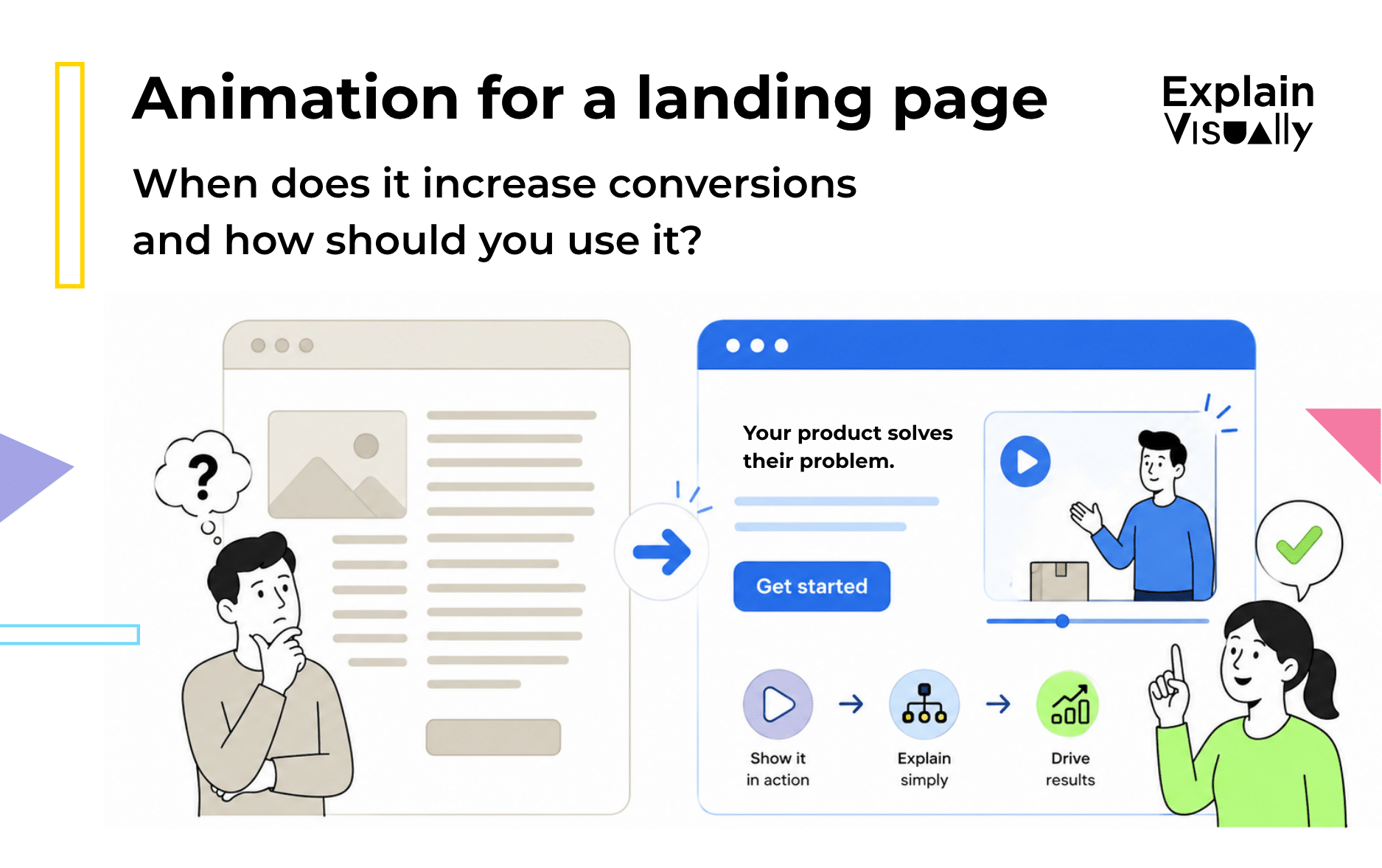
Animation for a landing page can increase conversions when it helps visitors understand the offer faster.
It works best when your product, service, or process is difficult to explain with static copy alone: B2B software, healthcare services, fintech products, industrial systems, logistics platforms, SaaS tools, or new product categories.
But animation is not magic. A decorative motion loop, a slow landing page video, or an explainer video that simply repeats the text on the page can reduce clarity instead of improving it.
The goal is not “more motion”.
The goal is less confusion.
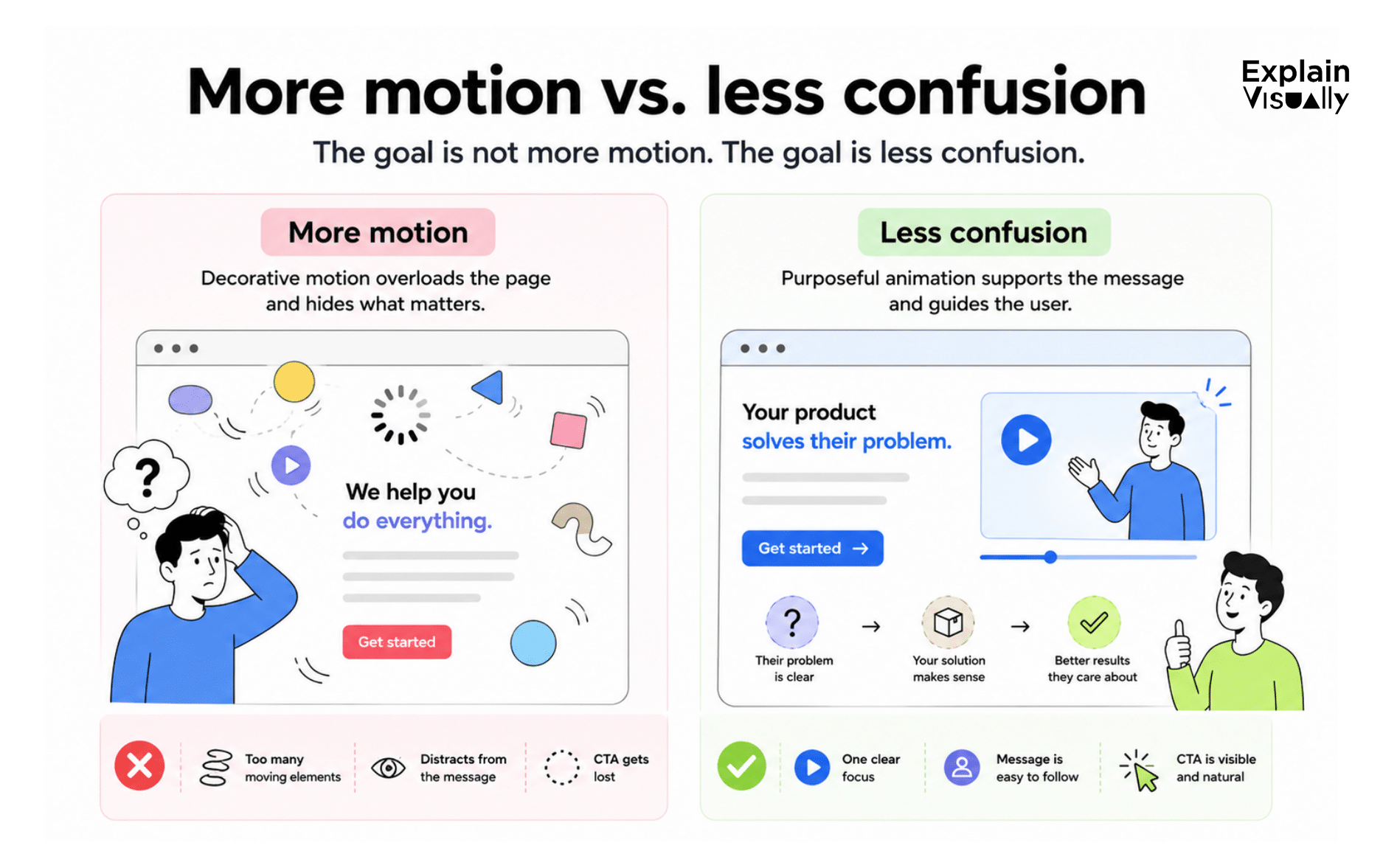
This is why video should support the landing page, not replace it. Nielsen Norman Group recommends presenting instructional videos as supplementary or alternative content, because some users prefer to read and not everyone wants to watch a video before taking action.
When does landing page animation help conversions?
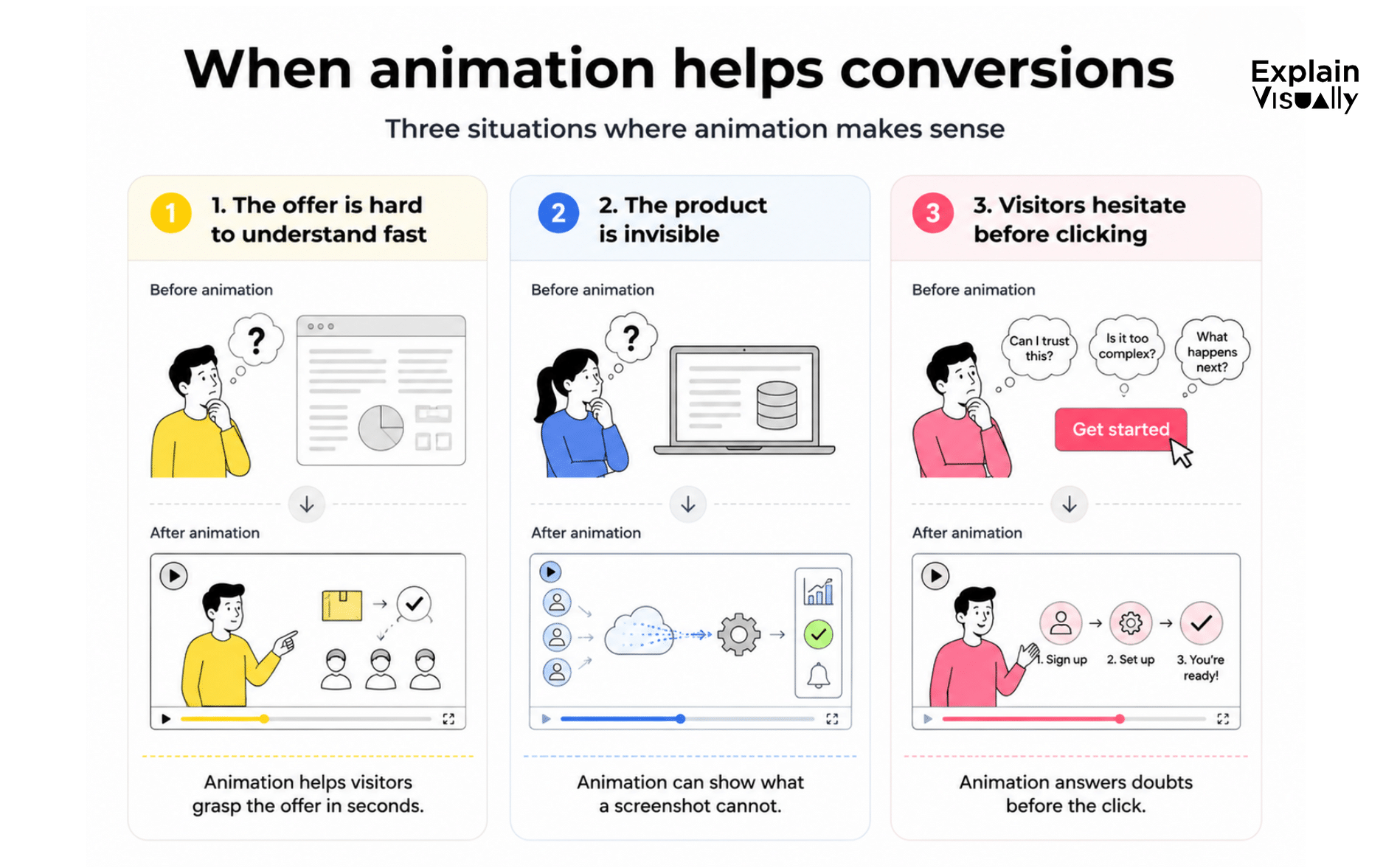
1. When your offer is hard to understand in five seconds
If a visitor needs to read six paragraphs before they understand what you do, landing page animation may help.
Instead of writing:
“Our platform automates repetitive operational workflows across departments.”
You can show a manager receiving messy requests from five different tools, then watching them flow into one clean dashboard.
That is the conversion value of website animation: it turns an abstract claim into a concrete scene.
2. When the product is invisible
Some products are hard to film because they happen inside software, data systems, compliance procedures, logistics chains, algorithms, or business processes. In these cases, an explainer video for a landing page can be more useful than a product screenshot.
Animation can show what the user cannot normally see: data moving, errors disappearing, teams becoming aligned, or manual work being replaced by automation.
For example, this RPA animation case study shows how animation can make an invisible automation process easier to understand for prospective clients.
The same logic applies to technical categories such as telecom infrastructure, where an OSS/BSS explainer video can turn an abstract system into a visual process.
3. When visitors hesitate before clicking
A visitor may understand the headline and still hesitate.
They may be thinking:
- “Will this work for my case?”
- “Is this too complicated?”
- “Can I trust this company?”
- “What happens after I click?”
A good landing page video can answer these doubts quickly by showing the problem, the method, the outcome, and the next step.
Wistia’s 2026 video data suggests that educational and tutorial videos are among the most engaging types of video because they match a clear viewer intent: “Help me understand this.”
When can animation hurt a landing page?
Animation can hurt conversions when it creates friction instead of clarity.
Avoid animation when it:
- auto-plays with sound,
- distracts from the CTA,
- pushes the form too far down the page,
- explains too many things at once,
- loads slowly on mobile,
- cannot be paused,
- is only decorative.
Nielsen Norman Group’s video usability guidance is clear: video works best when users have control, understand what the video contains, and have another way to access the same information.
Accessibility matters too. WCAG 2.2 says that moving, blinking, scrolling, or auto-updating content that starts automatically and lasts more than five seconds should include a way for users to pause, stop, or hide it.
How to use animation for a landing page effectively
1. Start with one clear intent
Before writing the script, finish this sentence:
“After watching this animation, the visitor should understand that…”
For example:
“After watching this animation, the visitor should understand that our tool replaces manual reporting with one automated workflow.”
This prevents the most common mistake: trying to explain everything.
2. Keep it short, but useful
For most landing pages, aim for 45-90 seconds. A 20-second animation can work for a simple offer. A two-minute landing page video can work for a complex B2B solution, but only if every second helps the viewer make a decision.
A simple structure:
- Show the painful current situation.
- Introduce the better way.
- Show how the product or service works.
- Show the outcome.
- End with the same CTA as the page.
If your offer depends on explaining a technical mechanism, a visual metaphor can help. For example, this animation about Plasmacluster technology uses animation to explain how an air purification technology works and why it matters.
3. Put the video near the decision point
For a simple offer, place the video near the hero section.
For a complex offer, test placing it just below the first benefit section, after the visitor understands why the topic matters.
Do not make the video the only path to understanding. Add a short text summary next to it. This helps scanners, improves accessibility, and gives search engines clearer page context.
4. Use a thumbnail that promises clarity
The thumbnail should not be a random frame from the video. It should work like a mini-headline.
Good thumbnail text examples:
- “See how it works in 60 seconds”
- “From manual reports to automated insight”
- “Watch the process step by step”
The thumbnail should make the visitor think: “This will save me time.”
5. Match the CTA to the animation
If your CTA is “Book a demo,” the animation should naturally lead to that action.
If your CTA is “Start free trial,” show how quickly the user can reach the first useful result.
Wistia reports that video CTAs have an average conversion rate of about 16% across its platform, which is a useful reminder that the CTA should be designed into the video experience, not added as an afterthought.
SEO and GEO tips for a video on a landing page
To help both search engines and AI answer engines understand the page:
- use the main phrase animation for a landing page in the title, introduction, and one H2;
- use related phrases naturally: landing page animation, explainer video for a landing page, landing page video, video on a landing page, website animation, and how to increase landing page conversion;
- add a transcript below the video;
- include a short written summary near the video;
- use a descriptive video title and thumbnail;
- add VideoObject structured data;
- include an FAQ section;
- avoid heavy auto-loading video files.
Google explains that VideoObject structured data can help it understand video details such as description, thumbnail URL, upload date, and duration.
For performance, use a poster image and avoid unnecessary preloading. Web.dev recommends preload=”none” to prevent browsers from downloading video data before the user needs it.
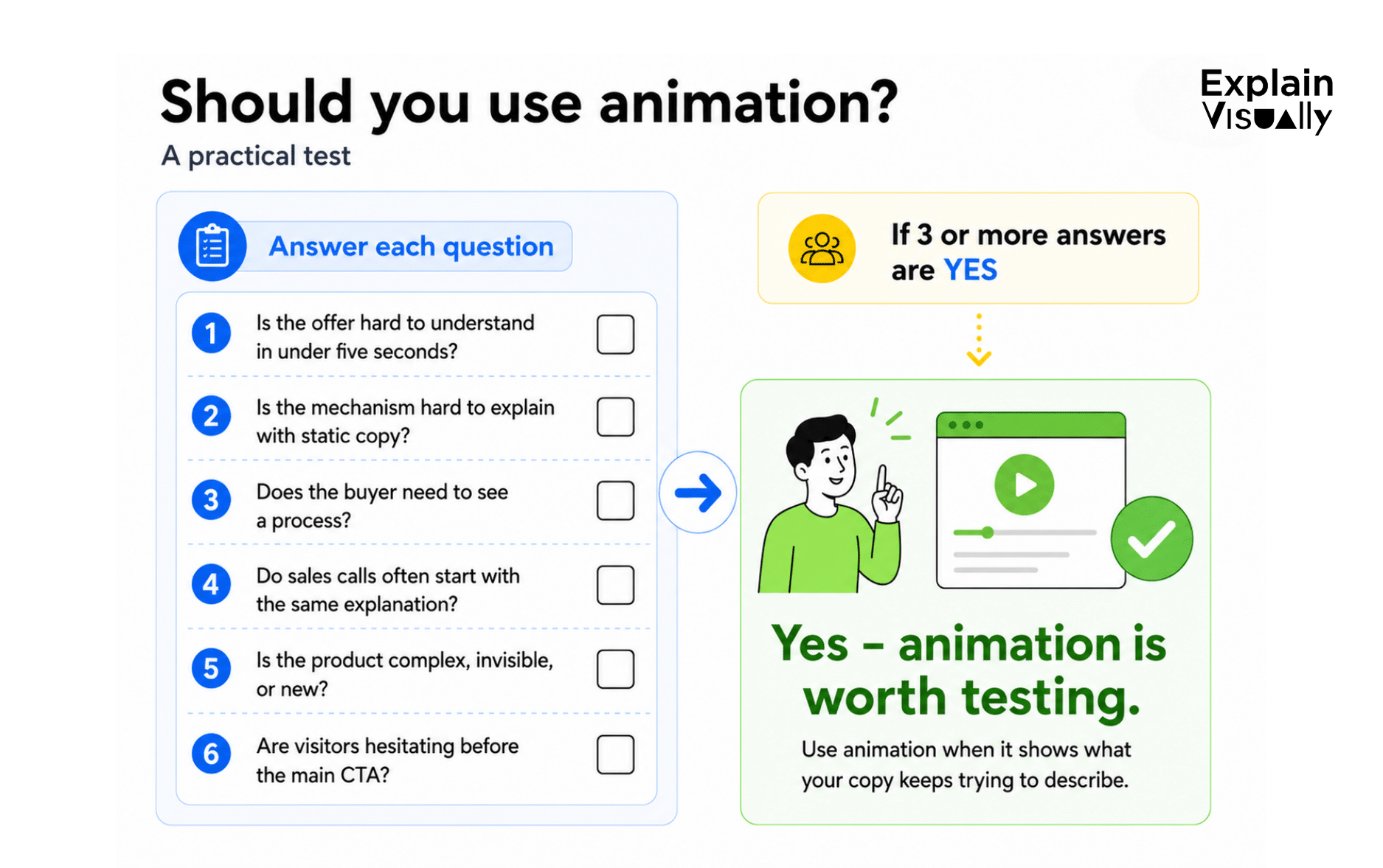
A practical test: will animation help your landing page?
Use this checklist before investing in animation:
- Can a new visitor understand the offer in under five seconds?
- Is the mechanism difficult to explain with static copy?
- Does the buyer need to see a process, not just read a claim?
- Do sales calls often begin with the same explanation?
- Is the product complex, invisible, or new to the market?
- Are visitors hesitating before the main CTA?
If you answered “yes” to three or more questions, landing page animation is worth testing.
A good rule of thumb: use animation when it can show the thing your copy keeps trying to describe.
Need an animation for your landing page?
If users need a few extra seconds to understand your offer, a well-designed animation can make the explanation faster, clearer, and easier to remember.
At Explain Visually, we create explainer videos, landing page animations, product animations, and visual materials that help companies explain complex products, services, processes, and technologies in a simple way. We help show how a solution works, what problem it solves, and why it matters – without overwhelming users with long blocks of text.
We tailor each animation to the goal of the landing page, the target audience, the stage of the sales funnel, and the action you want users to take next. The same material can be used not only on a landing page, but also in sales emails, paid campaigns, presentations, onboarding, and social media.
If you are planning a new landing page or want to improve an existing one, contact us. We will help you choose the visual format that best supports your message and conversion goal.
Sources and further reading:
- Nielsen Norman Group, „Videos as instructional content: user behaviors and UX guidelines”.
- Nielsen Norman Group, „Video Usability”.
- W3C / WAI, „Understanding success criterion 2.2.2: pause, stop, hide”.
- Wistia, „State of video report: video marketing statistics for 2026”.
- Wistia, „How to add a aideo CTA to increase conversions”.
- Google Search central, „Video structured data”.
- web.dev, „Lazy loading video”.
- We create whiteboard animations for businesses
- We create corporate explainer videos
- We create visual storytelling for companies
FREQUENTLY ASKED QUESTIONS:
What is animation for a landing page?
Animation for a landing page is a short visual element or explainer video placed on a landing page to help visitors understand the offer, product, process, or value proposition faster.
Does landing page animation always increase conversions?
No. Landing page animation increases conversions only when it reduces confusion, builds trust, or makes the next step easier. Decorative animation can distract visitors and hurt performance.
What is the best length for an explainer video for a landing page?
For most landing pages, 45–90 seconds is a good range. More complex B2B offers may need a slightly longer video, but the core message should appear early.
Should a landing page video autoplay?
Usually, no. Autoplay can annoy users, slow down the page, and create accessibility issues. If motion starts automatically and lasts more than five seconds, users should be able to pause, stop, or hide it.
How can animation increase landing page conversion?
Animation can increase landing page conversion by showing the problem, solution, mechanism, and outcome faster than text alone. It is especially useful for complex, invisible, technical, or process-based offers.
Is website animation good for SEO?
Website animation can support SEO if it is implemented properly. Add a transcript, structured data, descriptive thumbnail, written summary, and fast-loading embed. The animation should support the page content, not replace it.