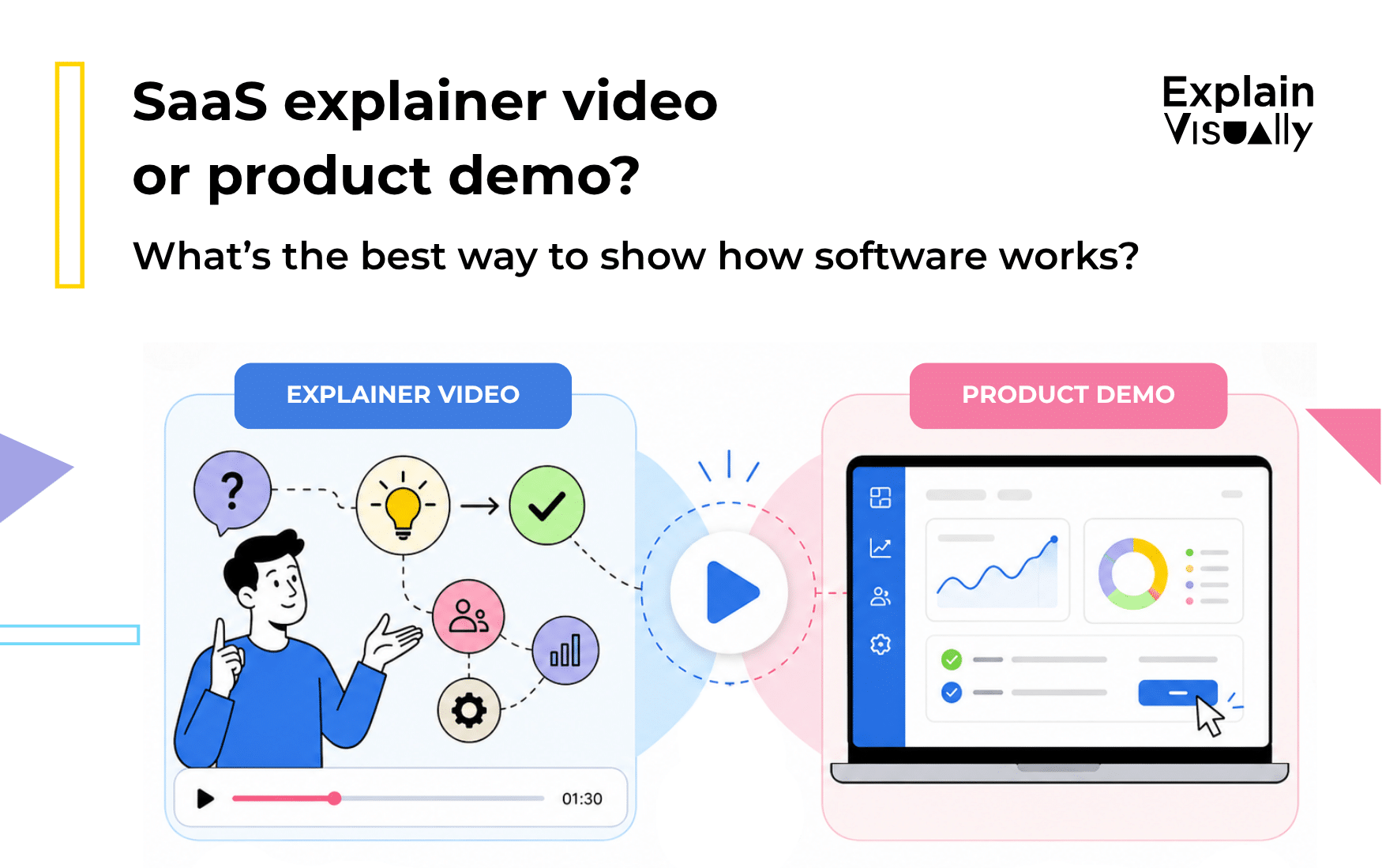
A product demo video proves how it works.
The best software product video often combines both: animation to create understanding, interface footage to create trust.
That is the simplest rule.
If your audience does not yet understand the problem, the category, or the value of your product, start with an explainer. If they already believe they need a solution and want to see the workflow, show the interface. If your product is complex, technical, or used by several types of users, combine both.
The real question is not: “Should we show the dashboard?”
The better question is: “What does the viewer need to understand before the dashboard makes sense?”
What is a SaaS explainer video?
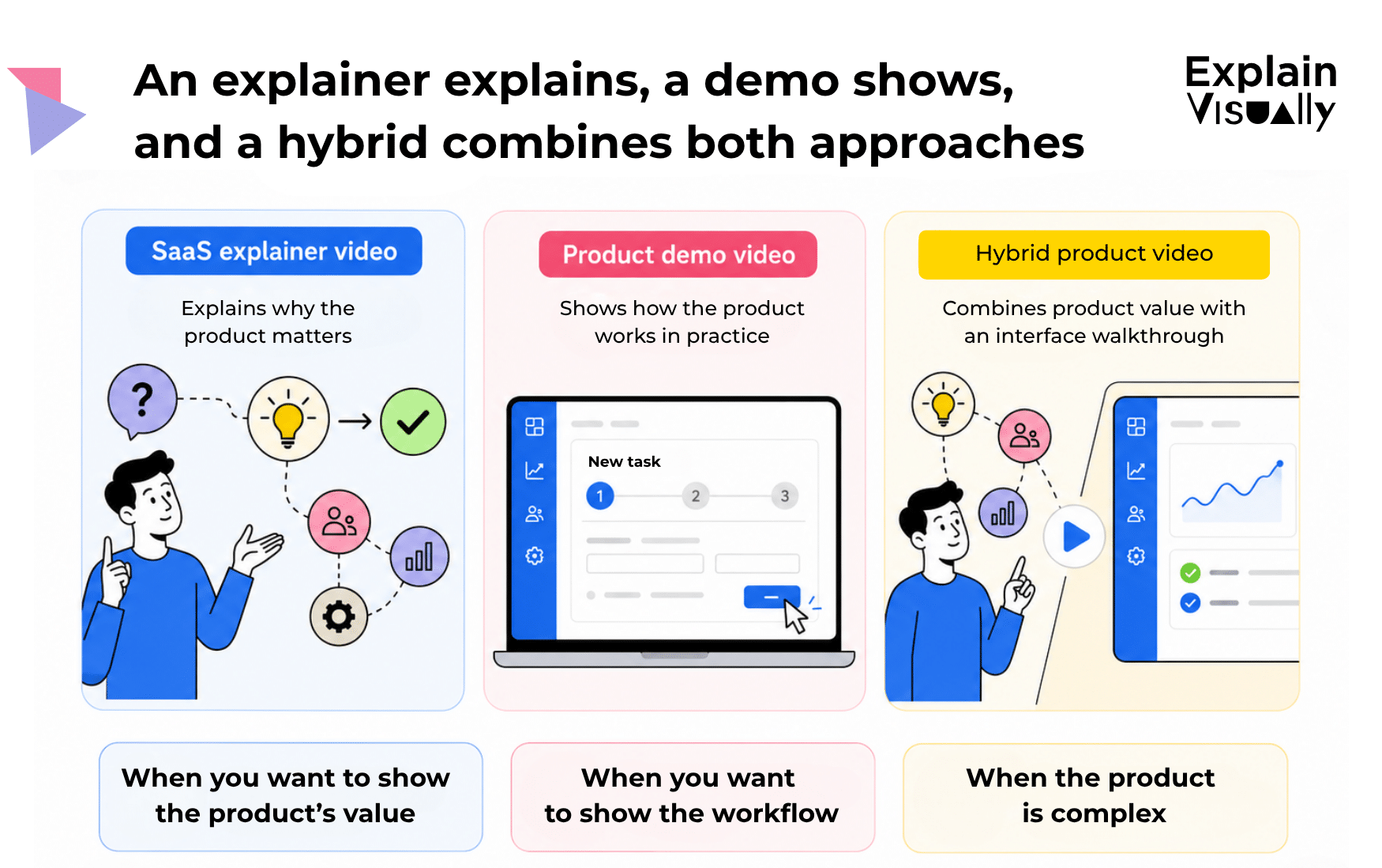
A SaaS explainer video is a short video that helps viewers understand what your software does, who it helps, and why it is useful. It usually focuses less on every button and more on the product’s value, logic, and outcome.
A good software explainer video may use animation, icons, characters, metaphors, diagrams, data flows, or simplified UI elements. This is especially useful when the product is difficult to understand from screenshots alone.
For example, if your SaaS helps companies automate compliance, predict demand, detect fraud, manage medical data, or connect several internal systems, the interface may not be the first thing people need to see. They first need a mental model.
In other words: before you show the control panel, show the machine.
A whiteboard animation for BPSC shows how a technology offering can be presented without starting with the details of the system.
What is a product demo video?
A product demo video shows the actual software in action. It may include screen recordings, zoom-ins, cursor movement, UI animations, voiceover, captions, and short explanations of each step.
A product demo video is useful when the viewer is already asking practical questions:
“How do I create a report?”
“How does the integration work?”
“What happens after I upload the file?”
“How many steps does the workflow take?”
“Is this simple enough for my team?”
A SaaS demo video is especially effective for sales calls, onboarding, help centers, product pages, and follow-up emails after a meeting. It gives buyers proof. They do not just hear that the product is simple. They see the path from login to result.
But there is a trap: a demo can become a recorded manual. If you show every tab, filter, checkbox, and setting, the viewer may understand less, not more.
A good demo does not show everything. It shows the shortest meaningful path to value.
When should you choose an explainer animation?
Choose a SaaS explainer video when your product’s value is not obvious at first glance.
This is often true when:
- your software solves a complex or abstract problem,
- the product connects many systems or teams,
- the interface is powerful but visually dense,
- the buyer is not the same person as the daily user,
- you need to explain a new category or a new way of working,
- your homepage must quickly answer: “Why should I care?”
Animation works well because it can remove noise. Instead of showing ten modules, you can show one clean process. Instead of displaying a complicated dashboard, you can show how data moves from chaos to clarity.
This is where an app explainer video can be stronger than a pure interface demo. It can present the user’s situation, the problem, the old workflow, the new workflow, and the final business result in a way that feels simple.
For example:
A cybersecurity platform may not want to begin with a table of alerts. It may first show a threat entering the system, being detected, prioritized, and assigned to the right person. Only then does the interface become meaningful.
When should you choose a product demo video?
Choose a product demo video when your audience already understands the problem and wants to evaluate the product.
This is usually the right choice when:
- prospects compare you with other tools,
- your UI is a strong selling point,
- the workflow is genuinely simple,
- users need to see specific features before booking a call,
- you want to reduce repetitive questions in sales or support,
- you need onboarding content for new customers.
A demo is also useful when your product promise is practical: “Create an invoice in 30 seconds,” “Build a campaign in three steps,” “Generate a report without asking the data team.”
In that case, do not hide the interface. The interface is the evidence.
The animation for cyber_Folks shows how a practical benefit of a digital product can be presented in a simple, sales-oriented way.
When should you combine both?
Many SaaS companies should not choose between animation and demo. They should combine them.
This hybrid format is often the best answer to how to present a SaaS product when the product is both valuable and complex.
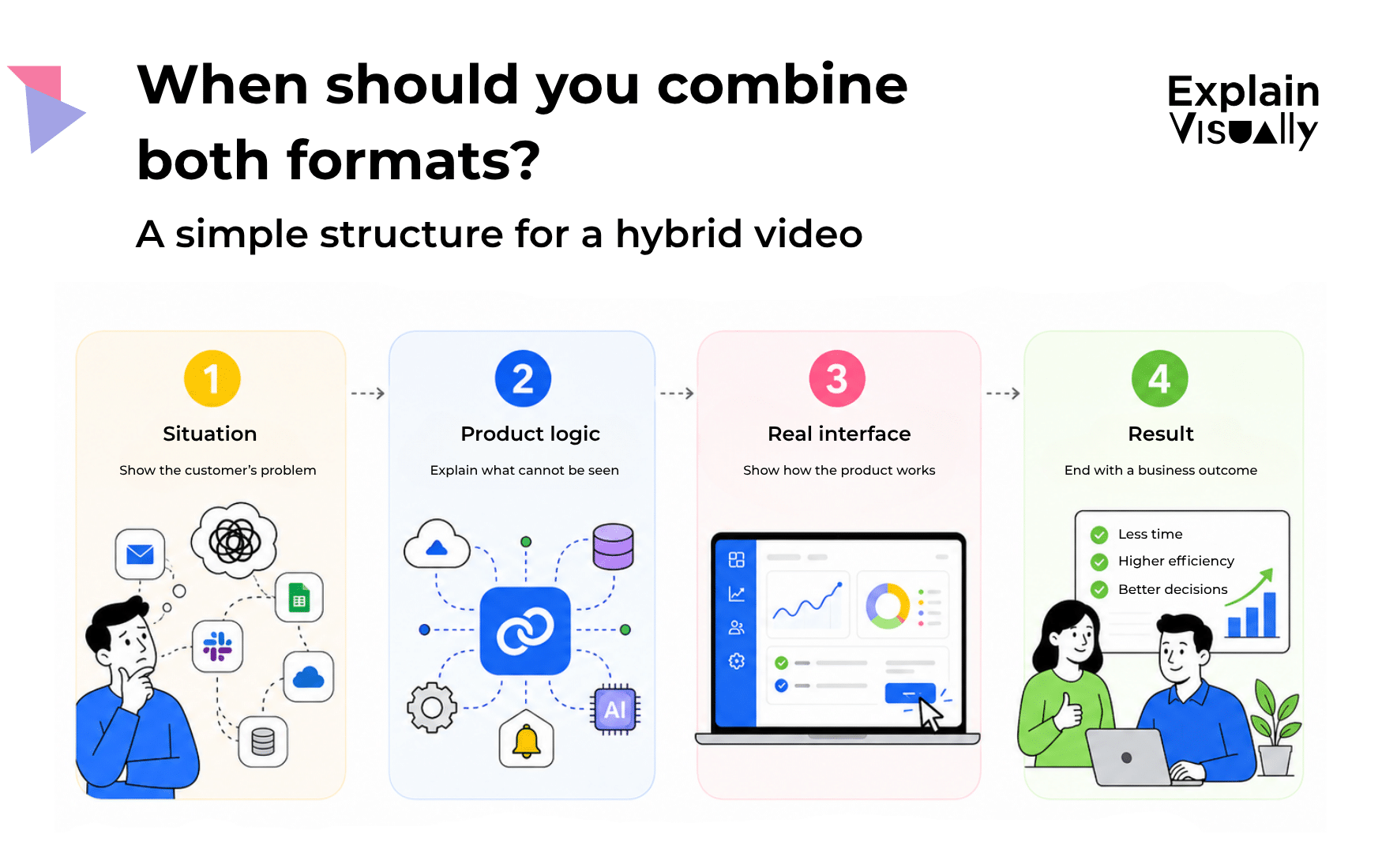
A strong hybrid structure looks like this:
1. Start with the situation
Show the problem in the customer’s world. Not as a vague statement like “companies struggle with efficiency,” but as a concrete scene.
For example:
“Your sales team uses one CRM, finance works in spreadsheets, and customer success has no idea which accounts are at risk.”
2. Explain the product logic with animation
Use animation to simplify the invisible part: integrations, automation, data flow, permissions, AI analysis, notifications, or decision rules.
This is where a software explainer video is very useful. It turns the system into a visual map.
3. Show the real interface
Once viewers understand the logic, show the actual product. Now the dashboard is not just a screen. It is proof that the promise is real.
4. End with the outcome
Do not end on a feature. End on the user’s new reality.
For example:
“Your team sees risks earlier, acts faster, and spends less time chasing information.”
This combination gives viewers both clarity and confidence.
The animation for GoNextStage shows how the digitalization of processes can be presented in a way that is clear to a business audience.
A simple decision framework
Use this rule:
If the viewer is confused, explain.
If the viewer is skeptical, demonstrate.
If the viewer is both confused and skeptical, do both.
That one sentence can guide the whole creative process.
For cold traffic, investors, homepage visitors, and non-technical buyers, a SaaS explainer video is usually the better starting point.
For qualified leads, trial users, implementation teams, and product-led growth flows, a SaaS demo video may work better.
For enterprise SaaS, technical products, AI tools, cybersecurity, fintech, HR tech, medtech, analytics platforms, and workflow automation tools, the hybrid format is often safest.
How to present a complex SaaS system clearly
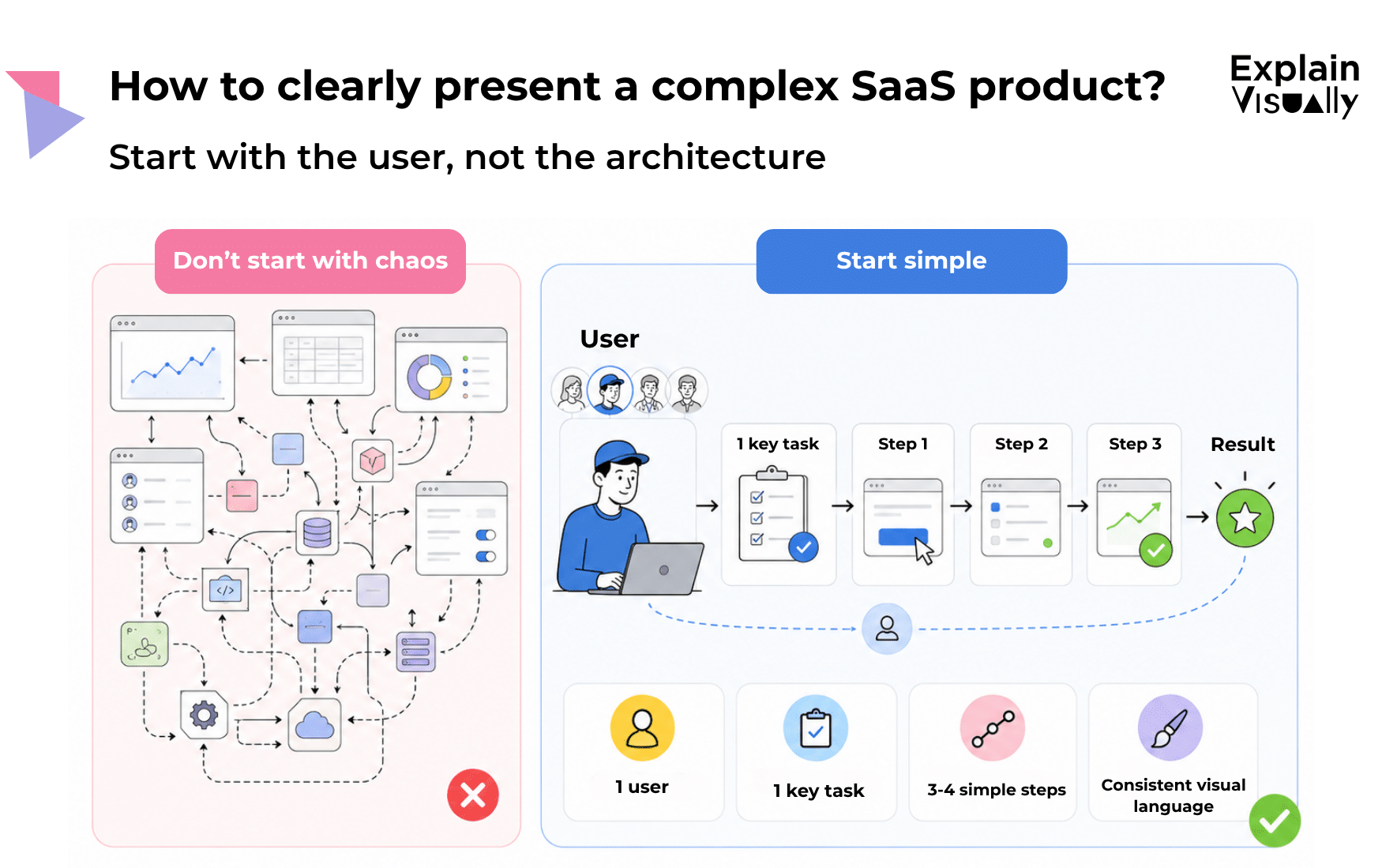
If you need to explain a complex system, do not start with the full architecture. Start with one user trying to complete one important task.
For example:
- a recruiter trying to compare candidates faster,
- a CFO trying to close the month without manual errors,
- a doctor trying to access patient information safely,
- a logistics manager trying to spot a delayed shipment,
- a support leader trying to reduce repeated tickets.
Then build the explanation around that task.
Name the key parts of the system. Divide the process into three or four clear stages. Use the same visual language throughout the video. Avoid switching between too many metaphors, screens, and storylines.
The viewer should never feel like they are watching a tour of your company’s internal complexity. They should feel like someone finally organized the product in their head.
Common mistakes in SaaS product videos
The first mistake is starting with the dashboard too early. A dashboard without context is like a cockpit without a pilot. It may look impressive, but the viewer does not know what to look at.
The second mistake is explaining features instead of decisions. “Here is our reporting module” is weaker than “Here is how a manager spots a problem before it becomes expensive.”
The third mistake is trying to speak to everyone. A founder, CTO, sales manager, and end user may all care about different things. One video can include several perspectives, but it still needs one main viewer.
The fourth mistake is making the video too complete. A good SaaS explainer video is not a product encyclopedia. It is a door opener.
Do you need a video that clearly explains how your SaaS product works?
At Explain Visually, we help companies turn complex products, services, processes, and ideas into clear visual communication.
We create SaaS explainer videos, software explainer videos, product demo videos, app explainer videos, and hybrid software product videos that combine animation with interface presentation.
We support the whole process: clarifying the core message, choosing the right structure, writing the script, designing the visual style, and producing a video that fits the product, target audience, sales process, and required language versions.
Our portfolio includes animations, promotional videos, infographics, presentations, and illustrations for companies from various industries, including technology, cybersecurity, digitalization, and app-based products.
If your software is complex, technical, or difficult to explain in a few sentences, we can help turn it into a clear visual story and suggest whether an explainer animation, a product demo video, or a combination of both will work best for your company.
- We create whiteboard animations for businesses
- We create corporate explainer videos
- We create visual storytelling for companies
FREQUENTLY ASKED QUESTIONS:
What is the difference between a SaaS explainer video and a product demo video?
A SaaS explainer video focuses on the product’s value, problem, use case, and outcome. A product demo video shows the actual interface and workflow. The explainer helps people understand why the product matters. The demo helps them believe it works.
When should a SaaS company use animation instead of showing the interface?
Use animation when the product is complex, abstract, technical, or difficult to understand from screenshots. Animation is also useful when you need to explain data flow, automation, integrations, AI logic, or a process that happens “behind the scenes.”
Should a SaaS demo video show the real UI?
Yes, if the viewer is already evaluating the product. Real UI builds trust because it shows what users will actually experience. However, the demo should focus on the most important workflow, not every feature.
Can one video be both an explainer and a demo?
Yes. Many SaaS companies benefit from a hybrid video. It can begin with an animated explanation of the problem and product logic, then move into a short interface demo, and end with the business outcome.
How long should a SaaS explainer video be?
For many marketing uses, a SaaS explainer video works best when it is short enough to keep attention but long enough to explain the value. Explain Visually’s own explainer video guidance points to 60-90 seconds as a common effective range for explainer videos.
How do you present a complex SaaS product simply?
Start with one user, one problem, and one desired outcome. Then show how the product moves that user from problem to result. Avoid beginning with the full system architecture or a long list of features.
What should a software explainer video include?
A strong software explainer video usually includes a clear problem, target audience, product promise, simple explanation of how the solution works, key benefits, proof points, and a call to action.
Is an app explainer video useful for mobile products?
Yes. An app explainer video can show the user journey, main use case, and value of the app before showing screens. This is useful when the app is new, solves a specific problem, or needs context before users understand why it matters.
Where can a SaaS company use a product video?
A SaaS company can use a product video on its homepage, landing pages, sales emails, investor decks, onboarding flows, help center, paid ads, social media, event booths, and follow-up messages after sales calls.
How can Explain Visually help with SaaS video marketing?
Explain Visually can help choose the right format, prepare the message, write the script, design the visual style, and produce an animation, product demo video, or hybrid video that explains how your software works clearly and persuasively.